Line-art empty states
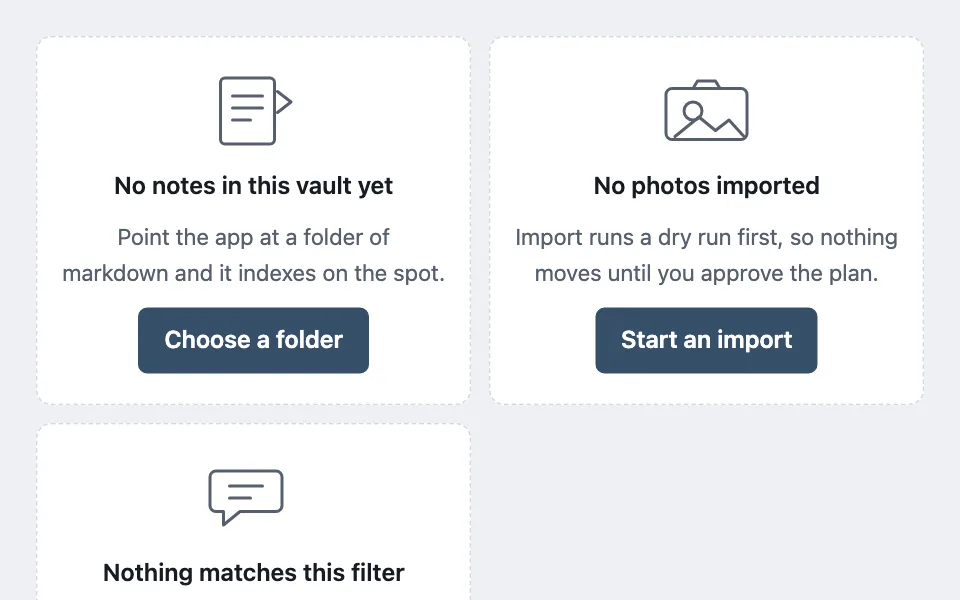
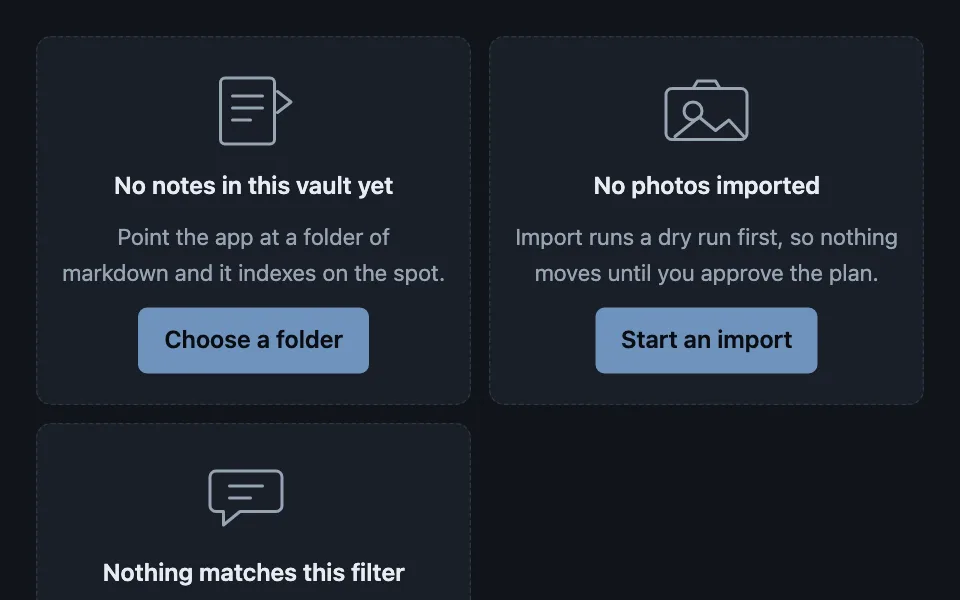
A family of inline drawings for empty surfaces, each stroked entirely in the inherited text colour so it themes itself and never ships an asset — hidden from assistive tech, because the headline and the sentence beneath are what actually carry the meaning.
Reach for it when building
- a library before the first import
- a message or document list with nothing in it
- a folder picker before a folder is chosen
- a saved-items or favourites page
- a dashboard panel with no data yet
- an onboarding step that has nothing to show
<div class="laes-demo">
	<div class="laes-grid">
		<section class="laes-cell">
			<svg class="laes-art" width="72" height="58" viewBox="0 0 72 58" fill="none" stroke="currentColor" stroke-width="2" aria-hidden="true" focusable="false">
				<rect x="14" y="7" width="36" height="44" rx="3"></rect>
				<path d="M22 19h20M22 27h20M22 35h12" stroke-linecap="round"></path>
				<path d="M52 16l9 7-9 7" stroke-linecap="round" stroke-linejoin="round"></path>
			</svg>
			<p class="laes-title">No notes in this vault yet</p>
			<p class="laes-body">Point the app at a folder of markdown and it indexes on the spot.</p>
			<button type="button" class="laes-action">Choose a folder</button>
		</section>

		<section class="laes-cell">
			<svg class="laes-art" width="72" height="58" viewBox="0 0 72 58" fill="none" stroke="currentColor" stroke-width="2" aria-hidden="true" focusable="false">
				<rect x="9" y="14" width="54" height="34" rx="4"></rect>
				<circle cx="27" cy="29" r="6"></circle>
				<path d="M15 46l16-13 11 9 9-7 10 11" stroke-linecap="round" stroke-linejoin="round"></path>
				<path d="M27 14l3-5h12l3 5" stroke-linecap="round" stroke-linejoin="round"></path>
			</svg>
			<p class="laes-title">No photos imported</p>
			<p class="laes-body">Import runs a dry run first, so nothing moves until you approve the plan.</p>
			<button type="button" class="laes-action">Start an import</button>
		</section>

		<section class="laes-cell">
			<svg class="laes-art" width="72" height="58" viewBox="0 0 72 58" fill="none" stroke="currentColor" stroke-width="2" aria-hidden="true" focusable="false">
				<path d="M11 11h40a4 4 0 0 1 4 4v19a4 4 0 0 1-4 4H27l-11 9v-9h-5a4 4 0 0 1-4-4V15a4 4 0 0 1 4-4z" stroke-linejoin="round"></path>
				<path d="M20 21h22M20 29h14" stroke-linecap="round"></path>
			</svg>
			<p class="laes-title">Nothing matches this filter</p>
			<p class="laes-body">Widen the date range, or clear the filter to see all 1,482 messages.</p>
			<button type="button" class="laes-action">Clear the filter</button>
		</section>
	</div>

	<p class="laes-note">Three drawings, no image requests, and both themes come free — nothing here names a colour.</p>
</div>
Colors come from shared theme tokens — --surface, --ink, --border, --accent and friends — so this CSS carries no palette
of its own. Use Runnable file to copy the tokens along with it.
.laes-demo { display: flex; flex-direction: column; gap: 0.75rem; }

.laes-grid { display: grid; grid-template-columns: repeat(auto-fit, minmax(14rem, 1fr)); gap: 0.75rem; }

.laes-cell {
	display: flex;
	flex-direction: column;
	align-items: center;
	gap: 0.5rem;
	text-align: center;
	padding: 1.25rem 1rem;
	border: 1px dashed var(--border);
	border-radius: var(--radius);
	background: var(--surface);
}

/* The only colour instruction the drawing gets. Everything inside it strokes
   currentColor, so the art follows whatever the surface resolved to. */
.laes-art { color: var(--dim); flex: none; }

.laes-title { margin: 0; font-weight: 600; color: var(--ink); }
.laes-body { margin: 0; font-size: 0.9375rem; color: var(--dim); max-width: 28ch; }

.laes-action {
	font: inherit;
	font-weight: 600;
	min-height: 44px;
	padding: 0.5rem 1rem;
	border-radius: calc(var(--radius) - 4px);
	border: 1px solid var(--accent);
	background: var(--accent);
	color: var(--accent-ink);
	cursor: pointer;
	margin-top: 0.25rem;
}

.laes-note { margin: 0; font-size: 0.9375rem; color: var(--dim); font-style: italic; }
Paste this into an agent to rebuild the pattern from scratch.
Draw the empty states inline. One small line drawing per content kind, stroked entirely in `currentColor`, with a headline, one sentence, and the action that fills the surface.
Reach for this on any surface that can be empty and deserves more than a shrug: a library before its first import, a message list, a picker before anything is chosen, a panel with no data yet. Walk away from a dense table or a compact panel, where an illustration costs the rows their space and says nothing a sentence would not.
The rule that makes it work: **the drawing names no colour.** Every stroke is `currentColor` and the only colour instruction is on the wrapper. That is what buys both themes for free, and it is the reason this can live in a codebase with no image pipeline, no asset that drifts out of date, and no second request on an empty screen.
**Hide the art from assistive tech** with `aria-hidden` and `focusable="false"`. The headline and the sentence are the content; announcing "envelope illustration" is noise, and `focusable="false"` is what stops older browsers putting an empty SVG in the tab order.
Write the sentence as advice, not as a restatement. "No photos imported" is the headline; the sentence beneath it earns its place by saying something the headline did not — that the import previews before it moves anything. An empty state that says "There is nothing here" twice has spent a whole screen on nothing.
Keep the drawings a family: one stroke width, one corner treatment, one size, one visual weight. Three drawings that do not match read as three unfinished features. Two or three shapes each is the right amount of detail — these are signs, not illustrations.
Give every empty state exactly one action, and make it the thing that fills the surface. A filtered-to-zero state clears the filter; a first-run state starts the import. If there is genuinely nothing to do — the queue is clear, the work is done — drop the button rather than inventing one.
Constrain the sentence to about 28 characters per line so the centred text does not spread into a single wide line at desktop width, and let the grid reflow to one column on narrow screens.