Slot-first picker
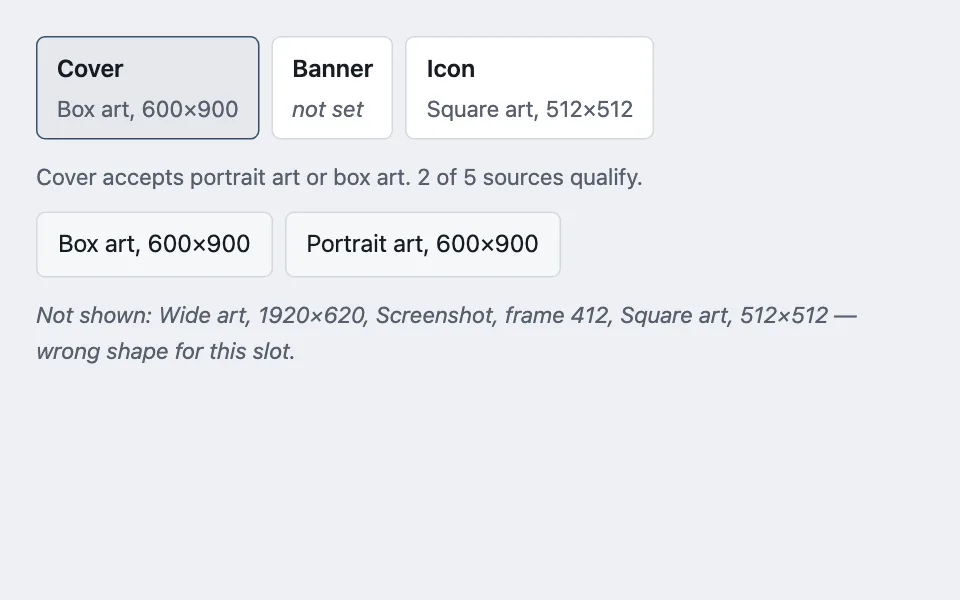
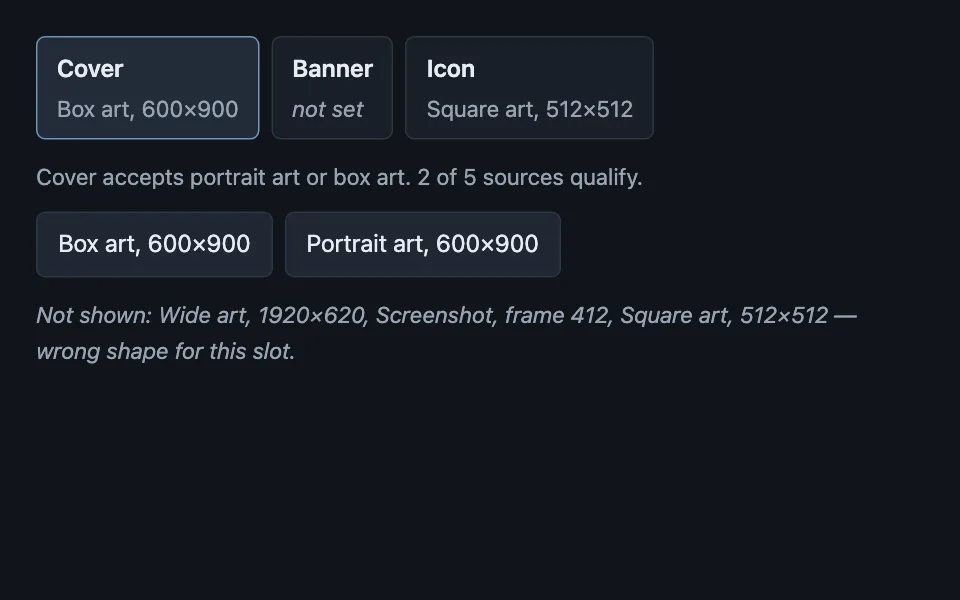
Assignment that starts at the destination rather than the value: the slots are shown first with whatever currently fills them, and choosing one narrows the catalogue to the kinds that slot accepts, with the rejected sources named rather than silently missing.
Reach for it when building
- assigning artwork to cover, banner, and icon slots
- choosing which image is the thumbnail
- mapping columns to fields during an import
- assigning people to roles on a project
- picking a file for each attachment slot
- binding inputs to outputs in a settings screen
<div class="sfp-demo">
	<div class="sfp-slots" id="sfp-slots" role="group" aria-label="Artwork slots"></div>

	<p class="sfp-prompt" id="sfp-prompt"></p>

	<div class="sfp-catalog" id="sfp-catalog"></div>

	<p class="sfp-rejected" id="sfp-rejected"></p>
	<p class="sfp-out" id="sfp-out" role="status"></p>
</div>
Colors come from shared theme tokens — --surface, --ink, --border, --accent and friends — so this CSS carries no palette
of its own. Use Runnable file to copy the tokens along with it.
.sfp-demo { display: flex; flex-direction: column; gap: 0.75rem; max-width: 560px; }

.sfp-slots { display: flex; flex-wrap: wrap; gap: 0.5rem; }

.sfp-slot {
	font: inherit;
	text-align: left;
	min-height: 44px;
	padding: 0.5rem 0.8rem;
	border-radius: calc(var(--radius) - 4px);
	border: 1px solid var(--border);
	background: var(--surface);
	color: var(--ink);
	cursor: pointer;
	display: flex;
	flex-direction: column;
	gap: 0.1rem;
}

/* The slot is a toggle, not a tab: pressed state, not selection state, because
   the catalogue below is a consequence rather than a panel. */
.sfp-slot[aria-pressed='true'] { border-color: var(--accent); background: color-mix(in oklab, var(--accent) 12%, var(--surface)); }

.sfp-name { font-weight: 600; }
.sfp-value { font-size: 0.9375rem; color: var(--dim); }
.sfp-slot[data-filled='false'] .sfp-value { font-style: italic; }

.sfp-prompt { margin: 0; font-size: 0.9375rem; color: var(--dim); }

.sfp-catalog { display: flex; flex-wrap: wrap; gap: 0.5rem; }

.sfp-source {
	font: inherit;
	min-height: 44px;
	padding: 0.5rem 0.85rem;
	border-radius: calc(var(--radius) - 4px);
	border: 1px solid var(--border);
	background: var(--surface-2);
	color: var(--ink);
	cursor: pointer;
}

.sfp-source:hover { border-color: var(--accent); }

/* Named, not hidden: a catalogue that silently shrinks looks like a fetch that
   half-failed. */
.sfp-rejected { margin: 0; font-size: 0.9375rem; color: var(--dim); font-style: italic; }
.sfp-out { margin: 0; font-size: 0.9375rem; font-weight: 600; color: var(--ok); min-height: 1.6em; }
const SLOTS = [
{ id: 'cover', name: 'Cover', accepts: ['portrait', 'box'], value: 'Box art, 600×900' },
{ id: 'banner', name: 'Banner', accepts: ['wide', 'screenshot'], value: null },
{ id: 'icon', name: 'Icon', accepts: ['square'], value: 'Square art, 512×512' }
];
const SOURCES = [
{ name: 'Box art, 600×900', kind: 'box' },
{ name: 'Portrait art, 600×900', kind: 'portrait' },
{ name: 'Wide art, 1920×620', kind: 'wide' },
{ name: 'Screenshot, frame 412', kind: 'screenshot' },
{ name: 'Square art, 512×512', kind: 'square' }
];
const KIND_WORDS = {
portrait: 'portrait art',
box: 'box art',
wide: 'wide art',
screenshot: 'a screenshot',
square: 'square art'
};
const slotsHost = document.getElementById('sfp-slots');
const catalog = document.getElementById('sfp-catalog');
const prompt = document.getElementById('sfp-prompt');
const rejected = document.getElementById('sfp-rejected');
const out = document.getElementById('sfp-out');
let active = SLOTS[0];
function render() {
slotsHost.innerHTML = '';
for (const slot of SLOTS) {
const button = document.createElement('button');
button.type = 'button';
button.className = 'sfp-slot';
// A stable key for re-focusing this exact slot button after the rebuild
// below (triggered by clicking any slot or any source) destroys and
// recreates it.
button.dataset.slotId = slot.id;
button.dataset.filled = slot.value === null ? 'false' : 'true';
button.setAttribute('aria-pressed', slot === active ? 'true' : 'false');
button.innerHTML = '<span class="sfp-name"></span><span class="sfp-value"></span>';
button.querySelector('.sfp-name').textContent = slot.name;
button.querySelector('.sfp-value').textContent = slot.value ?? 'not set';
button.addEventListener('click', () => {
active = slot;
render();
// render() just destroyed the slot button that had focus. Find its
// replacement by the same stable id and hand focus back to it, or a
// keyboard user tabbing between slots loses their place every time.
const refocused = slotsHost.querySelector('.sfp-slot[data-slot-id="' + slot.id + '"]');
if (refocused) refocused.focus();
});
slotsHost.append(button);
}
/* The map from slot to accepted kinds is data. Branching in the view is how
a fourth slot ends up accepting everything by accident. */
const usable = SOURCES.filter((source) => active.accepts.includes(source.kind));
const unusable = SOURCES.filter((source) => !active.accepts.includes(source.kind));
prompt.textContent =
active.name + ' accepts ' + active.accepts.map((kind) => KIND_WORDS[kind]).join(' or ') +
'. ' + usable.length + ' of ' + SOURCES.length + ' sources qualify.';
catalog.innerHTML = '';
for (const source of usable) {
const pick = document.createElement('button');
pick.type = 'button';
pick.className = 'sfp-source';
// Same reason as the slot buttons above: a stable key to find this exact
// source button again after the catalogue is rebuilt.
pick.dataset.sourceName = source.name;
pick.textContent = source.name;
pick.addEventListener('click', () => {
active.value = source.name;
out.textContent = source.name + ' assigned to ' + active.name + '.';
render();
// Same fix as the slot buttons: re-find the clicked source in the
// rebuilt catalogue and re-focus it.
const refocusedSource = catalog.querySelector('.sfp-source[data-source-name="' + source.name + '"]');
if (refocusedSource) refocusedSource.focus();
});
catalog.append(pick);
}
rejected.textContent =
unusable.length === 0
? 'Every source fits this slot.'
: 'Not shown: ' + unusable.map((source) => source.name).join(', ') + ' — wrong shape for this slot.';
}
render();Paste this into an agent to rebuild the pattern from scratch.
Build assignment that starts at the destination. Show the slots first, each with what currently fills it, and let choosing a slot narrow the catalogue to the sources that slot will accept.
Reach for this when several destinations each take a different kind of thing: artwork slots with different aspect ratios, import columns mapped to fields, roles on a project, attachment slots with type restrictions. Walk away when there is one destination — then it is a file picker and the slot step is a click someone did not need.
The rule that makes it work: **the map from slot to accepted kinds is data, not branching in the view.** A lookup on the slot definition scales to a fourth slot; an `if` chain in the render function is how a new slot silently ends up accepting everything. Filter the catalogue through that map on every render rather than precomputing lists that drift.
Open on the slots with their current values visible, including the empty ones. The most common thing someone wants is to see what is set before changing anything, and a picker that opens on a wall of sources makes them assign something to find out.
**Name what was filtered out rather than silently shrinking the catalogue.** "Not shown: wide art, screenshot — wrong shape for this slot" is the difference between a rule and a fetch that half-failed. Someone who cannot find the image they uploaded needs to know it exists and was rejected, not to wonder whether the upload worked.
Let each source report for itself so the screen can distinguish "this source has nothing to offer" from "this source could not be reached". Those read identically as an absence and have completely different fixes.
Make the slots toggles with `aria-pressed`, not tabs. The catalogue below is a consequence of the choice rather than a panel belonging to it, and tab semantics promise arrow-key navigation between panels that this does not have.
Every control clears 44px through padding, and every colour comes from theme custom properties — including the pressed state, which is the one that usually gets a hard-coded tint.