Entry-transform motion
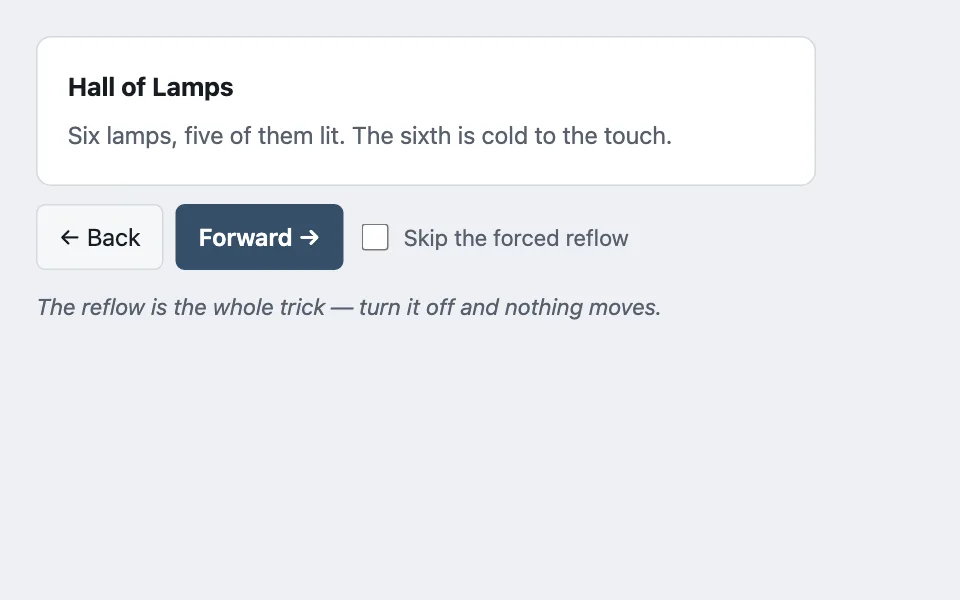
Motion between two rendered states when the old DOM is already gone: the new content is snapped to the transform that reproduces where it came from, then released to identity — with the forced reflow between those two writes that stops the browser collapsing them into no animation at all.
Reach for it when building
- paging through search results
- stepping through a wizard
- moving between rooms or scenes
- a carousel driven by real navigation
- tab panels whose content is re-rendered
- any server-rendered view that replaces itself
<div class="etm-demo">
	<div class="etm-stage">
		<article class="etm-slide" id="etm-slide">
			<h3 class="etm-title" id="etm-title"></h3>
			<p class="etm-body" id="etm-body"></p>
		</article>
	</div>

	<div class="etm-controls">
		<button type="button" class="etm-btn" id="etm-back">← Back</button>
		<button type="button" class="etm-btn etm-primary" id="etm-forward">Forward →</button>
		<label class="etm-toggle">
			<input type="checkbox" id="etm-skip" />
			<span>Skip the forced reflow</span>
		</label>
	</div>

	<p class="etm-note" id="etm-note">The reflow is the whole trick — turn it off and nothing moves.</p>
</div>
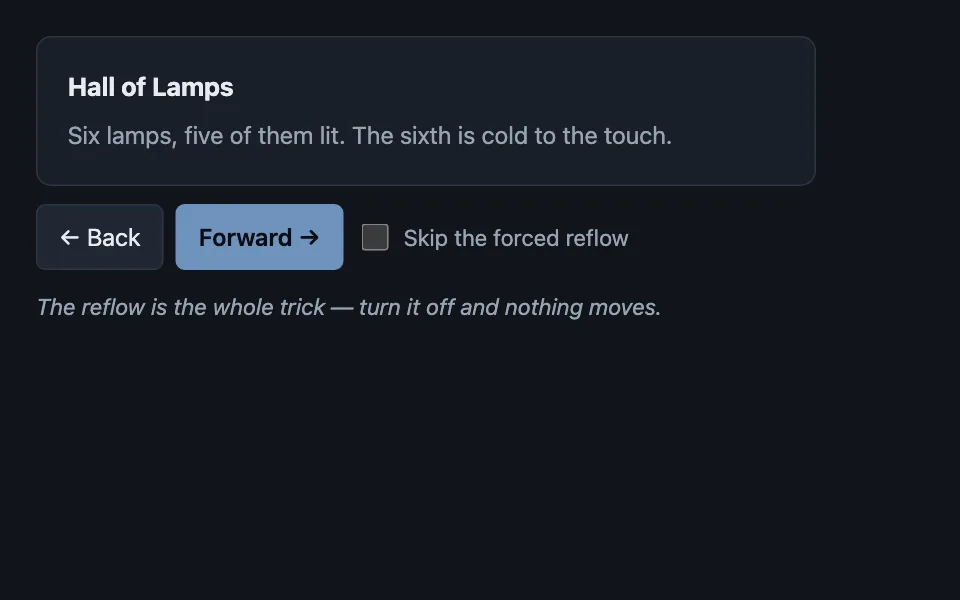
Colors come from shared theme tokens — --surface, --ink, --border, --accent and friends — so this CSS carries no palette
of its own. Use Runnable file to copy the tokens along with it.
.etm-demo { display: flex; flex-direction: column; gap: 0.75rem; max-width: 520px; }

.etm-stage {
	border: 1px solid var(--border);
	border-radius: var(--radius);
	background: var(--surface);
	overflow: hidden;
}

.etm-slide { padding: 1.25rem; margin: 0; }

/* The transition is only ever on while the element is travelling back to
   identity; it is removed for the write that puts it at the entry transform. */
.etm-slide[data-animating='true'] { transition: transform 260ms ease, opacity 260ms ease; }

.etm-title { margin: 0 0 0.35rem; font-size: 1.0625rem; }
.etm-body { margin: 0; color: var(--dim); }

.etm-controls { display: flex; flex-wrap: wrap; gap: 0.5rem; align-items: center; }

.etm-btn {
	font: inherit;
	min-height: 44px;
	padding: 0.5rem 0.9rem;
	border-radius: calc(var(--radius) - 4px);
	border: 1px solid var(--border);
	background: var(--surface-2);
	color: var(--ink);
	cursor: pointer;
}

.etm-primary { background: var(--accent); border-color: var(--accent); color: var(--accent-ink); font-weight: 600; }

.etm-toggle { display: inline-flex; align-items: center; gap: 0.45rem; font-size: 0.9375rem; color: var(--dim); cursor: pointer; }
.etm-toggle input { width: 18px; height: 18px; accent-color: var(--accent); }

.etm-note { margin: 0; font-size: 0.9375rem; color: var(--dim); font-style: italic; }

/* The motion is decoration over a cut that has already happened. Without it the
   content is simply there, which is the correct reduced-motion outcome. */
@media (prefers-reduced-motion: reduce) {
	.etm-slide[data-animating='true'] { transition: none; }
}
const ROOMS = [
{ title: 'Hall of Lamps', body: 'Six lamps, five of them lit. The sixth is cold to the touch.' },
{ title: 'Cistern', body: 'Water to the ankle. Something moved, and then did not move again.' },
{ title: "Scribe's Cell", body: 'A desk, a chair, and ledgers filed by a system nobody wrote down.' },
{ title: 'Stair Landing', body: 'The stair keeps going down, past where the map stops.' }
];
const slide = document.getElementById('etm-slide');
const title = document.getElementById('etm-title');
const body = document.getElementById('etm-body');
const skip = document.getElementById('etm-skip');
const note = document.getElementById('etm-note');
let index = 0;
function paint() {
title.textContent = ROOMS[index].title;
body.textContent = ROOMS[index].body;
}
function enterFrom(direction) {
paint();
/* 1. No transition, so the jump to the entry position is not itself animated. */
slide.dataset.animating = 'false';
slide.style.transform = 'translateX(' + (direction > 0 ? '40%' : '-40%') + ')';
slide.style.opacity = '0';
/* 2. Force layout. Skip this and the browser coalesces both writes into one
style recalculation, the element never occupies the entry position, and
nothing moves at all. */
if (!skip.checked) {
void slide.offsetWidth;
}
/* 3. Release to identity with the transition back on. */
slide.dataset.animating = 'true';
slide.style.transform = 'translateX(0)';
slide.style.opacity = '1';
note.textContent = skip.checked
? 'No reflow: both writes collapsed into one, so the slide never left identity.'
: 'Reflow forced between the two writes, so the slide travels from where it came.';
}
document.getElementById('etm-forward').addEventListener('click', () => {
index = (index + 1) % ROOMS.length;
enterFrom(1);
});
document.getElementById('etm-back').addEventListener('click', () => {
index = (index - 1 + ROOMS.length) % ROOMS.length;
enterFrom(-1);
});
paint();Paste this into an agent to rebuild the pattern from scratch.
Animate a transition where the old content is already gone. The new state is rendered and painted; there is nothing to animate out. So snap the new element to the transform that reproduces where it came from, then release it to identity and let the transition carry it home.
Reach for this whenever the view is replaced rather than mutated: a server-rendered page swap, a wizard step, a re-rendered tab panel, pagination that refetches. Walk away when both states can exist at once — then cross-fade or slide them against each other, which is simpler and looks better.
The rule that makes it work: **three writes, in order, with a forced layout between the second and the third.** Turn the transition off, set the entry transform, read a layout property to force the browser to flush, then turn the transition back on and clear the transform. Skip the read and the browser coalesces both style writes into one recalculation: the element never occupies the entry position, and nothing moves at all. That is the failure everyone hits, and it looks exactly like a transition that was never wired up.
**Run it in a layout effect, before paint — not in a normal effect.** Scheduling after paint shows the new content at its final position for one frame before yanking it back to the entry transform, which produces a visible flicker in precisely the cut this pattern exists to hide.
Carry the direction. Entering forwards comes from the right, backwards from the left — reusing one direction for both makes the back button feel like a forward step, which is disorienting in a way people report as "the animation is wrong" without being able to say why.
Handle a second input mid-animation by replacing the animation, not queueing it. Someone pressing next four times quickly should land on the fourth item immediately, not watch four animations play out.
Under reduced motion, drop the transition and keep everything else. The motion is decoration over a cut that already happened; without it the new content is simply there, which is the correct outcome rather than a degraded one.
Keep the entry offset modest — 40% of the element, not a full screen width — and never animate a property that triggers layout. Transform and opacity only.