Filtered to zero
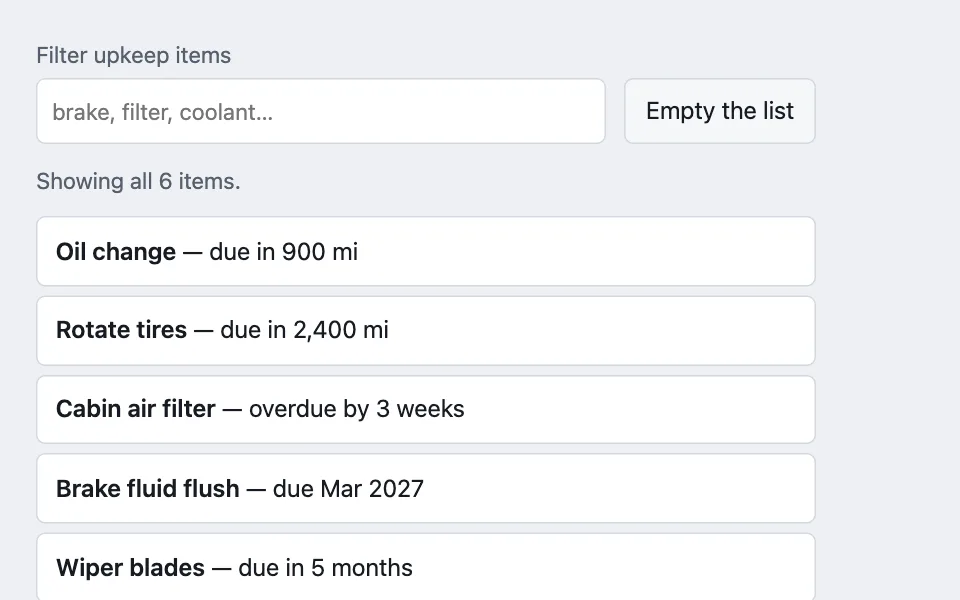
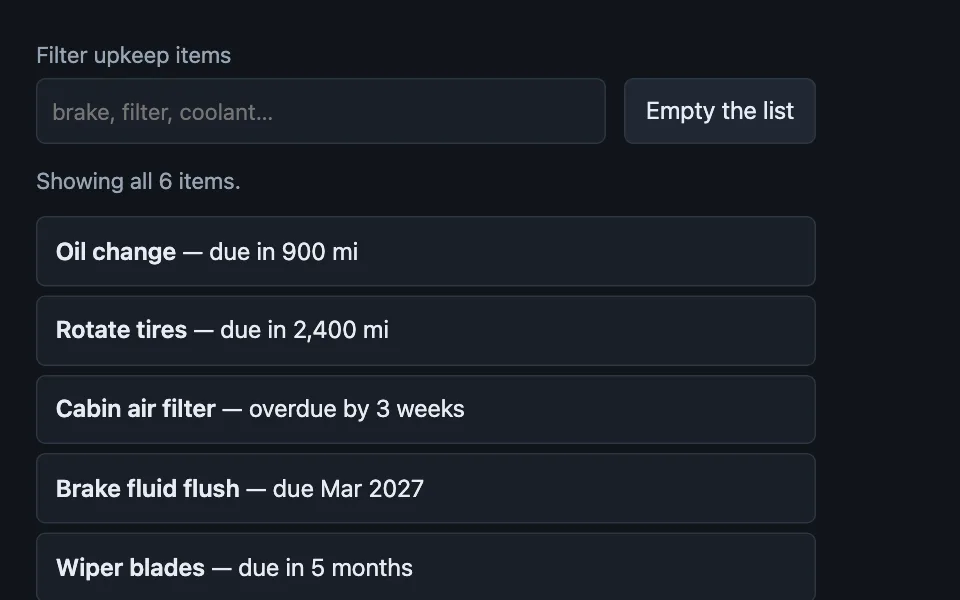
The three empty states a list actually has — never filled, filtered to nothing, and everything cleared on purpose — written as three different screens, because the copy that helps in one is wrong in the other two.
Reach for it when building
- a searchable settings or library list
- a filtered inbox or queue
- a tag or facet archive page
- a media library before the first import
- a task list someone has just finished clearing
- an admin table with saved filters
- search results inside a picker
<div class="ftz-demo">
	<div class="ftz-bar">
		<label class="ftz-field">
			<span>Filter upkeep items</span>
			<input type="search" id="ftz-input" placeholder="brake, filter, coolant…" autocomplete="off" />
		</label>
		<button type="button" class="ftz-seed" id="ftz-seed">Empty the list</button>
	</div>

	<p class="ftz-count" id="ftz-count" role="status"></p>

	<ul class="ftz-list" id="ftz-list"></ul>

	<div class="ftz-empty" id="ftz-empty" hidden>
		<p class="ftz-empty-title" id="ftz-empty-title"></p>
		<p class="ftz-empty-body" id="ftz-empty-body"></p>
		<button type="button" class="ftz-empty-action" id="ftz-empty-action"></button>
	</div>
</div>
Colors come from shared theme tokens — --surface, --ink, --border, --accent and friends — so this CSS carries no palette
of its own. Use Runnable file to copy the tokens along with it.
.ftz-demo { display: flex; flex-direction: column; gap: 0.75rem; max-width: 520px; }

.ftz-bar { display: flex; flex-wrap: wrap; gap: 0.75rem; align-items: flex-end; }

.ftz-field { display: flex; flex-direction: column; gap: 0.25rem; font-size: 0.9375rem; color: var(--dim); flex: 1 1 15rem; }

.ftz-field input {
	font: inherit;
	min-height: 44px;
	padding: 0.45rem 0.6rem;
	border-radius: calc(var(--radius) - 4px);
	border: 1px solid var(--border);
	background: var(--surface);
	color: var(--ink);
	width: 100%;
}

.ftz-seed {
	font: inherit;
	min-height: 44px;
	padding: 0.5rem 0.85rem;
	border-radius: calc(var(--radius) - 4px);
	border: 1px solid var(--border);
	background: var(--surface-2);
	color: var(--ink);
	cursor: pointer;
}

.ftz-count { margin: 0; font-size: 0.9375rem; color: var(--dim); min-height: 1.6em; }

.ftz-list {
	list-style: none;
	margin: 0;
	padding: 0;
	display: flex;
	flex-direction: column;
	gap: 0.375rem;
}

.ftz-list[hidden] { display: none; }

.ftz-list li {
	padding: 0.6rem 0.75rem;
	border: 1px solid var(--border);
	border-radius: calc(var(--radius) - 4px);
	background: var(--surface);
}

.ftz-list b { font-weight: 600; }

/* One container, three sets of words. The shape stays put so the swap does not
   read as a page change. */
.ftz-empty {
	display: flex;
	flex-direction: column;
	align-items: center;
	gap: 0.5rem;
	text-align: center;
	padding: 1.5rem 1rem;
	border: 1px dashed var(--border);
	border-radius: var(--radius);
	background: var(--surface-2);
}

.ftz-empty[hidden] { display: none; }

.ftz-empty-title { margin: 0; font-weight: 600; color: var(--ink); }
.ftz-empty-body { margin: 0; font-size: 0.9375rem; color: var(--dim); max-width: 34ch; }

.ftz-empty-action {
	font: inherit;
	font-weight: 600;
	min-height: 44px;
	padding: 0.5rem 1rem;
	border-radius: calc(var(--radius) - 4px);
	border: 1px solid var(--accent);
	background: var(--accent);
	color: var(--accent-ink);
	cursor: pointer;
}

.ftz-empty[data-state='cleared'] .ftz-empty-title { color: var(--ok); }
const ALL_ITEMS = [
{ name: 'Oil change', detail: 'due in 900 mi' },
{ name: 'Rotate tires', detail: 'due in 2,400 mi' },
{ name: 'Cabin air filter', detail: 'overdue by 3 weeks' },
{ name: 'Brake fluid flush', detail: 'due Mar 2027' },
{ name: 'Wiper blades', detail: 'due in 5 months' },
{ name: 'Coolant', detail: 'due in 11 months' }
];
const input = document.getElementById('ftz-input');
const seed = document.getElementById('ftz-seed');
const count = document.getElementById('ftz-count');
const list = document.getElementById('ftz-list');
const empty = document.getElementById('ftz-empty');
const emptyTitle = document.getElementById('ftz-empty-title');
const emptyBody = document.getElementById('ftz-empty-body');
const emptyAction = document.getElementById('ftz-empty-action');
let items = ALL_ITEMS.slice();
function render() {
const query = input.value.trim();
const matches = query
? items.filter((item) => item.name.toLowerCase().includes(query.toLowerCase()))
: items.slice();
list.innerHTML = '';
for (const item of matches) {
const row = document.createElement('li');
row.innerHTML = '<b></b> — <span></span>';
row.querySelector('b').textContent = item.name;
row.querySelector('span').textContent = item.detail;
list.append(row);
}
list.hidden = matches.length === 0;
empty.hidden = matches.length > 0;
if (matches.length > 0) {
count.textContent = query
? 'Showing ' + matches.length + ' of ' + items.length + ' items.'
: 'Showing all ' + items.length + ' items.';
return;
}
count.textContent = '';
/* Three different screens, chosen by why the list is empty — not by the fact
that it is. */
if (items.length === 0) {
empty.dataset.state = 'cleared';
emptyTitle.textContent = 'Nothing due right now';
emptyBody.textContent = 'Everything on this car is up to date. New items appear as intervals come round.';
emptyAction.textContent = 'Add an item anyway';
return;
}
if (query) {
empty.dataset.state = 'filtered';
emptyTitle.textContent = 'No match for “' + query + '”';
emptyBody.textContent = 'The filter is hiding all ' + items.length + ' items. Try a shorter word, or clear it.';
emptyAction.textContent = 'Clear the filter to see all ' + items.length;
return;
}
empty.dataset.state = 'first-run';
emptyTitle.textContent = 'No upkeep items yet';
emptyBody.textContent = 'Add the first one and the schedule starts computing due dates from the odometer.';
emptyAction.textContent = 'Add the first item';
}
emptyAction.addEventListener('click', () => {
const state = empty.dataset.state;
if (state === 'filtered') {
input.value = '';
input.focus();
} else {
items = ALL_ITEMS.slice();
input.value = '';
}
render();
});
seed.addEventListener('click', () => {
items = [];
input.value = '';
render();
});
input.addEventListener('input', render);
render();Paste this into an agent to rebuild the pattern from scratch.
Build the empty states for a filterable list. There are three of them, and shipping one is the bug: never filled, filtered to nothing, and cleared on purpose. Each gets its own words and its own action, in one container so the layout does not jump between them.
Reach for this on any list with a filter, a search box, or facets over it. Walk away from the filter itself — not the empty states — when the list is bounded by reality rather than by data: a filter box above four cars or three saved cards is furniture, and the zero state it introduces is one nobody would otherwise have reached.
The rule that makes it work: **a filtered-to-zero list is a different screen from a first-run empty list, and it must never render the first-run copy.** "Add your first item" is useless advice to someone with two hundred items and a typo in the search box. Quote the query back, say how many rows the filter is hiding, and offer the way out as the primary action.
Decide the state from *why* the list is empty, not from the fact that it is. Branch on the unfiltered count first, then the query. Three branches, in that order: no rows at all, rows that the query hides, rows the person has deliberately cleared.
The cleared state is the one people forget, and it is the only one that is good news. An inbox at zero or a queue with nothing due should say so plainly and stop. Do not offer a "get started" call to action to someone who just finished — it reads as a system that did not notice.
Put the row count in a `role="status"` region while filtering and keep it honest: **shown of total**, both numbers. A count that reports only what survived the filter hides the fact that anything was filtered.
Give the empty state a real action, not a shrug. Filtered-to-zero clears the filter and returns focus to the input. First-run starts the thing that fills the list. Cleared offers the same creation action, worded so it is plainly optional.
Keep the container identical across the three states so the swap reads as the same surface changing its mind. Nothing here needs an illustration: the sentence carries the meaning, and every colour comes from theme custom properties so it holds in both themes.