Batch action bar
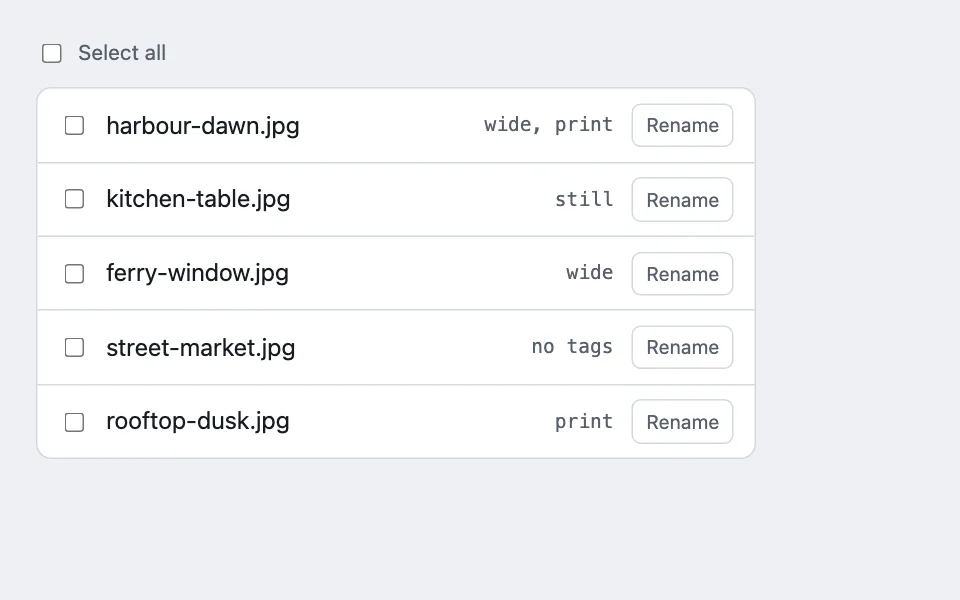
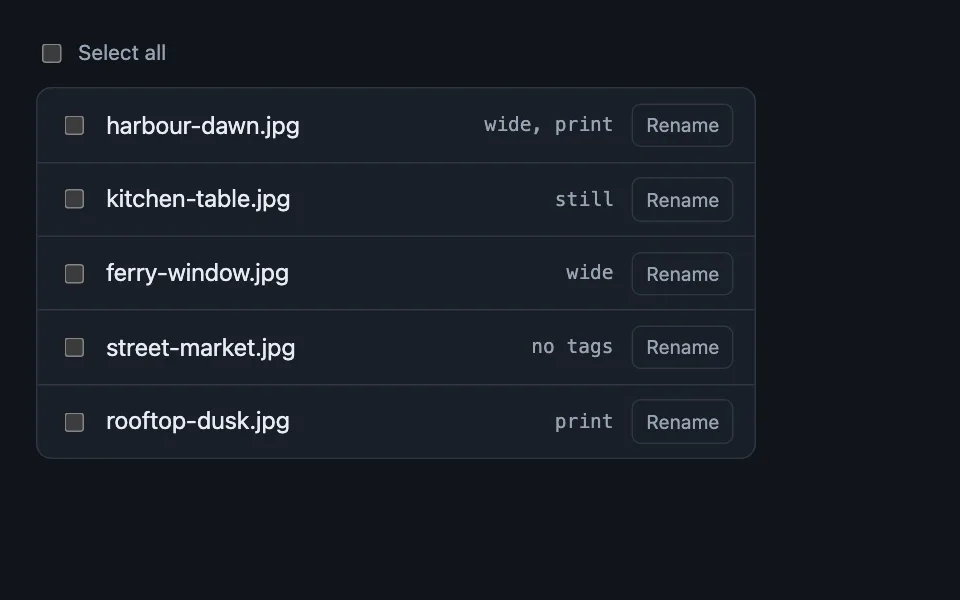
A bar that exists only while something is selected: it states the count in words, caps at five actions, and switches off the per-row controls beneath it so there is one live scope at a time — with the editing half, where a field the selection disagrees about reads Mixed and a multi-value edit takes a mode rather than a value.
Reach for it when building
- selecting photos in a library
- bulk tagging a media collection
- file browser multi-select
- moving tracks between playlists
- clearing items from a download queue
- batch operations on a table
<div class="bab-demo">
	<div class="bab-head">
		<label class="bab-all"><input type="checkbox" id="bab-all"> Select all</label>
	</div>
	<div class="bab-bar" id="bab-bar" role="toolbar" aria-label="Actions for the selected photos" hidden>
		<span class="bab-count" id="bab-count"></span>
		<button type="button" class="bab-act" data-act="Added to album">Add to album</button>
		<button type="button" class="bab-act" data-act="Tagged">Tag</button>
		<button type="button" class="bab-act" data-act="Downloaded">Download</button>
		<button type="button" class="bab-act" data-act="Deleted">Delete</button>
		<button type="button" class="bab-act bab-cancel" id="bab-cancel">Cancel</button>
	</div>

	<div class="bab-edit" id="bab-edit" hidden>
		<p class="bab-field">Album: <span id="bab-album"></span></p>
		<div class="bab-edit-row">
			<label class="bab-edit-label" for="bab-mode">Tags</label>
			<select id="bab-mode">
				<option value="add">Add</option>
				<option value="remove">Remove</option>
				<option value="replace">Replace all</option>
			</select>
			<input type="text" id="bab-value" value="print" size="10" aria-label="Tag to apply" />
			<button type="button" class="bab-act" id="bab-apply">Apply</button>
		</div>
		<div class="bab-confirm" id="bab-confirm" hidden>
			<p class="bab-confirm-text" id="bab-confirm-text"></p>
			<div class="bab-edit-row">
				<button type="button" class="bab-act" id="bab-confirm-yes">Yes, do it</button>
				<button type="button" class="bab-act bab-cancel" id="bab-confirm-no">Keep as is</button>
			</div>
		</div>
	</div>
	<ul class="bab-list" id="bab-list"></ul>
	<p class="bab-log" id="bab-log" role="status"></p>
</div>
Colors come from shared theme tokens — --surface, --ink, --border, --accent and friends — so this CSS carries no palette
of its own. Use Runnable file to copy the tokens along with it.
.bab-demo { display: flex; flex-direction: column; gap: 0.75rem; max-width: 480px; }

/* The editing half sits under the action bar and shares its lifetime: no
   selection, no editor. */
.bab-edit {
	display: flex;
	flex-direction: column;
	gap: 0.6rem;
	padding: 0.75rem;
	border: 1px solid var(--accent);
	border-radius: calc(var(--radius) - 4px);
	background: var(--surface-2);
}

.bab-edit[hidden] { display: none; }
.bab-edit-row { display: flex; flex-wrap: wrap; gap: 0.5rem; align-items: center; }
.bab-edit-label { font-size: 0.9375rem; color: var(--dim); }
.bab-field { margin: 0; font-size: 0.9375rem; color: var(--dim); }

/* A disagreeing field says so in words rather than showing the first row's
   value, which is what silently overwrites the rest. */
.bab-mixed { font-style: italic; color: var(--dim); }

.bab-edit select,
.bab-edit input[type='text'] {
	font: inherit;
	min-height: 44px;
	padding: 0.4rem 0.55rem;
	border-radius: calc(var(--radius) - 4px);
	border: 1px solid var(--border);
	background: var(--surface);
	color: var(--ink);
}

.bab-confirm {
	display: flex;
	flex-direction: column;
	gap: 0.5rem;
	padding: 0.6rem 0.7rem;
	border: 1px solid var(--bad);
	border-radius: calc(var(--radius) - 4px);
	background: color-mix(in srgb, var(--bad) 10%, var(--surface));
}

.bab-confirm[hidden] { display: none; }
.bab-confirm-text { margin: 0; font-size: 0.9375rem; color: var(--ink); }

/* The editor's own action buttons sit on --surface-2, not the accent-filled
   bar, so they need ink-on-surface contrast rather than the bar's
   accent-ink-on-accent treatment -- reusing .bab-act as-is measures well
   under 1.5:1 here in both themes. */
.bab-edit .bab-act {
	background: var(--surface);
	color: var(--ink);
	border: 1px solid var(--border);
	min-height: 44px;
}

.bab-edit .bab-act:hover {
	background: var(--surface-2);
	border-color: var(--accent);
}

.bab-edit .bab-cancel {
	border-style: dashed;
}

.bab-head { display: flex; align-items: center; gap: 0.6rem; font-size: 0.875rem; color: var(--dim); }

.bab-all { display: inline-flex; align-items: center; gap: 0.5rem; cursor: pointer; }

.bab-list {
	list-style: none;
	margin: 0;
	padding: 0;
	border: 1px solid var(--border);
	border-radius: var(--radius);
	background: var(--surface);
	overflow: hidden;
}

.bab-row {
	display: flex;
	align-items: center;
	gap: 0.75rem;
	padding: 0.6rem 0.85rem;
	border-bottom: 1px solid var(--border);
}

.bab-row:last-child { border-bottom: none; }

.bab-row.is-picked { background: color-mix(in srgb, var(--accent) 10%, var(--surface)); }

.bab-name { flex: 1; cursor: pointer; }

.bab-size { font-family: var(--mono); font-size: 0.8125rem; color: var(--dim); }

.bab-row-btn {
	font: inherit;
	font-size: 0.8125rem;
	background: none;
	border: 1px solid var(--border);
	color: var(--dim);
	border-radius: 6px;
	padding: 0.2rem 0.55rem;
	cursor: pointer;
}

/* Switched off while the bar is up: two live scopes over the same rows is
   the ambiguity this pattern exists to remove. */
.bab-row-btn:disabled { opacity: 0.35; cursor: not-allowed; }

.bab-bar {
	display: flex;
	align-items: center;
	flex-wrap: wrap;
	gap: 0.5rem;
	background: var(--accent);
	color: var(--accent-ink);
	border-radius: var(--radius);
	padding: 0.6rem 0.8rem;
}

.bab-bar[hidden] { display: none; }

.bab-count { font-weight: 600; font-size: 0.9375rem; margin-right: auto; }

.bab-act {
	font: inherit;
	font-size: 0.8125rem;
	background: color-mix(in srgb, var(--accent-ink) 18%, transparent);
	color: var(--accent-ink);
	border: 1px solid color-mix(in srgb, var(--accent-ink) 35%, transparent);
	border-radius: 6px;
	padding: 0.25rem 0.6rem;
	cursor: pointer;
}

.bab-act:hover { background: color-mix(in srgb, var(--accent-ink) 30%, transparent); }

.bab-cancel { border-style: dashed; }

.bab-log { margin: 0; font-size: 0.875rem; color: var(--dim); min-height: 1.4em; }
var photos = [
{ id: 'p1', name: 'harbour-dawn.jpg', size: '4.2 MB', album: 'Coast', tags: ['wide', 'print'] },
{ id: 'p2', name: 'kitchen-table.jpg', size: '3.1 MB', album: 'Home', tags: ['still'] },
{ id: 'p3', name: 'ferry-window.jpg', size: '5.8 MB', album: 'Coast', tags: ['wide'] },
{ id: 'p4', name: 'street-market.jpg', size: '2.9 MB', album: 'Trips', tags: [] },
{ id: 'p5', name: 'rooftop-dusk.jpg', size: '6.4 MB', album: 'Coast', tags: ['print'] }
];
var picked = [];
var listElement = document.getElementById('bab-list');
var barElement = document.getElementById('bab-bar');
var countElement = document.getElementById('bab-count');
var logElement = document.getElementById('bab-log');
var selectAllElement = document.getElementById('bab-all');
var cancelElement = document.getElementById('bab-cancel');
var editElement = document.getElementById('bab-edit');
var albumElement = document.getElementById('bab-album');
var modeElement = document.getElementById('bab-mode');
var valueElement = document.getElementById('bab-value');
var confirmElement = document.getElementById('bab-confirm');
var confirmTextElement = document.getElementById('bab-confirm-text');
function isPicked(id) {
return picked.indexOf(id) !== -1;
}
function sync() {
var count = picked.length;
barElement.hidden = count === 0;
editElement.hidden = count === 0;
// A pending confirmation is scoped to the selection, mode and value it was
// raised for. Any of the three changing invalidates it, so it is hidden on
// every sync rather than only when the selection empties out.
confirmElement.hidden = true;
countElement.textContent = count === 1 ? '1 photo selected' : count + ' photos selected';
// A single-valued field across a disagreeing selection reads "Mixed", never
// the first row's value.
var albums = photos.filter(function (photo) { return isPicked(photo.id); })
.map(function (photo) { return photo.album; })
.filter(function (album, index, all) { return all.indexOf(album) === index; });
if (albums.length === 1) {
albumElement.className = '';
albumElement.textContent = albums[0];
} else if (albums.length > 1) {
albumElement.className = 'bab-mixed';
albumElement.textContent = 'Mixed (' + albums.join(', ') + ')';
} else {
albumElement.className = 'bab-mixed';
albumElement.textContent = 'nothing selected';
}
// The header box has three states, not two: a partial selection is
// indeterminate, so clicking it is unambiguously "select the rest".
selectAllElement.checked = count === photos.length;
selectAllElement.indeterminate = count > 0 && count < photos.length;
var rows = listElement.querySelectorAll('.bab-row');
Array.prototype.forEach.call(rows, function (row) {
var rowIsPicked = isPicked(row.getAttribute('data-id'));
if (rowIsPicked) row.classList.add('is-picked');
else row.classList.remove('is-picked');
row.querySelector('.bab-row-btn').disabled = count > 0;
});
}
function render() {
listElement.innerHTML = '';
photos.forEach(function (photo) {
var row = document.createElement('li');
row.className = 'bab-row';
row.setAttribute('data-id', photo.id);
var box = document.createElement('input');
box.type = 'checkbox';
box.id = 'bab-' + photo.id;
box.checked = isPicked(photo.id);
box.addEventListener('change', function () {
if (box.checked) picked.push(photo.id);
else picked = picked.filter(function (id) { return id !== photo.id; });
logElement.textContent = '';
sync();
});
var label = document.createElement('label');
label.className = 'bab-name';
label.setAttribute('for', box.id);
label.textContent = photo.name;
var size = document.createElement('span');
size.className = 'bab-size';
size.textContent = photo.tags.length > 0 ? photo.tags.join(', ') : 'no tags';
var rename = document.createElement('button');
rename.type = 'button';
rename.className = 'bab-row-btn';
rename.textContent = 'Rename';
row.appendChild(box);
row.appendChild(label);
row.appendChild(size);
row.appendChild(rename);
listElement.appendChild(row);
});
sync();
}
function clearSelection() {
picked = [];
var boxes = listElement.querySelectorAll('input[type=checkbox]');
Array.prototype.forEach.call(boxes, function (box) { box.checked = false; });
sync();
}
selectAllElement.addEventListener('change', function () {
picked = selectAllElement.checked ? photos.map(function (photo) { return photo.id; }) : [];
var boxes = listElement.querySelectorAll('input[type=checkbox]');
Array.prototype.forEach.call(boxes, function (box, index) {
box.checked = isPicked(photos[index].id);
});
logElement.textContent = '';
sync();
});
// Cancel clears the selection and does nothing else — it is not an undo,
// and it must never be mistaken for one.
cancelElement.addEventListener('click', function () {
clearSelection();
logElement.textContent = 'Selection cleared. Nothing was changed.';
});
// A pending confirmation names a mode and a value; either changing means
// "Yes" would no longer apply to what the sentence described, so both clear it.
modeElement.addEventListener('change', function () {
confirmElement.hidden = true;
});
valueElement.addEventListener('input', function () {
confirmElement.hidden = true;
});
var actionButtons = barElement.querySelectorAll('.bab-act[data-act]');
Array.prototype.forEach.call(actionButtons, function (button) {
button.addEventListener('click', function () {
var count = picked.length;
logElement.textContent =
button.getAttribute('data-act') + ' ' + count + (count === 1 ? ' photo.' : ' photos.');
clearSelection();
});
});
// Additive edits commit straight through; the two that can destroy a value
// someone never named ask first, and say plainly that neither has an undo.
function applyTags(mode, value) {
var chosen = photos.filter(function (photo) { return isPicked(photo.id); });
chosen.forEach(function (photo) {
if (mode === 'add') {
if (value && photo.tags.indexOf(value) === -1) photo.tags.push(value);
} else if (mode === 'remove') {
photo.tags = photo.tags.filter(function (tag) { return tag !== value; });
} else {
photo.tags = value ? [value] : [];
}
});
var verb = mode === 'add' ? 'Added' : mode === 'remove' ? 'Removed' : 'Replaced tags on';
logElement.textContent =
verb + ' ' + chosen.length + (chosen.length === 1 ? ' photo.' : ' photos.');
confirmElement.hidden = true;
render();
}
document.getElementById('bab-apply').addEventListener('click', function () {
var mode = modeElement.value;
var value = valueElement.value.trim();
var count = picked.length;
// Every mode needs a value: Add with nothing typed would log success while
// doing nothing, and Replace with nothing would wipe every tag in scope.
if (!value) {
logElement.textContent = 'Type a tag first.';
valueElement.focus();
return;
}
if (mode === 'add') {
applyTags(mode, value);
return;
}
confirmTextElement.textContent =
mode === 'replace'
? 'Replace every tag on ' + count + ' photos with “' + value + '”? Tags you did not name are cleared. This cannot be undone.'
: 'Remove “' + value + '” from ' + count + ' photos? This cannot be undone.';
confirmElement.hidden = false;
});
document.getElementById('bab-confirm-yes').addEventListener('click', function () {
applyTags(modeElement.value, valueElement.value.trim());
});
document.getElementById('bab-confirm-no').addEventListener('click', function () {
confirmElement.hidden = true;
logElement.textContent = 'Nothing changed.';
});
render();Paste this into an agent to rebuild the pattern from scratch.
Build a bar that appears when a selection exists and offers the actions that apply to it. Nothing appears when nothing is selected.
Reach for this when a list supports picking more than one thing and the same handful of actions apply to any pick — a photo library, a file browser, a queue. Walk away when only one action exists, because that belongs on the row, and when the available actions differ per row, because then the bar cannot honestly say what it does.
**The bar exists only with a selection.** Do not ship it permanently with greyed-out buttons. A disabled toolbar is permanent furniture that teaches nothing and takes space on every screen, and it makes the moment a selection begins invisible. Appearing is the feedback.
**Say the count, in the bar, in words.** "3 photos selected", not a bare numeral and not nothing. This is the only place someone can confirm the scope of what they are about to do, and it matters most in the case that goes wrong: a filter changed underneath a selection and it is now larger or smaller than assumed.
**Cap the bar at five actions.** Past five nobody reads them, and the sixth is a sign the list is doing too many jobs. If more are genuinely needed, the extras go in an overflow menu, not on the bar.
**Switch off row-level actions while the bar is up.** Two live scopes over the same rows — a bar acting on the selection and a button acting on one row — is exactly the ambiguity that makes people delete the wrong thing. One scope at a time; disable the per-row controls until the selection clears.
**Cancel clears the selection and does nothing else.** It is not an undo and must never read as one. If an action has already run, Cancel cannot take it back, so keep its label about the selection and pair the action itself with a separate undo if it needs one.
Give the select-all checkbox three states rather than two. A partial selection sets "indeterminate", which is the state that makes clicking it unambiguously mean "select the rest" instead of leaving someone guessing whether it will select all or clear everything. Set the property in script — there is no HTML attribute for it.
After an action runs, clear the selection. The rows it applied to have changed, and leaving them selected invites a second application to a set that no longer means what it did.
**Editing field values is the second half of this bar, and it has its own rules.** An action does one thing to every selected row; an edit changes a value, and a selection almost never agrees about what that value currently is.
A field the selection disagrees about reads **Mixed**, never the first row's value. Showing one row's album above five rows with three different albums is how a bulk edit silently overwrites four of them — the person saw "Coast", changed something else, and saved.
**A multi-value field needs a mode, not a value: add, remove, or replace.** Replace on a fifty-row selection wipes every tag nobody named, with one menu click and no way to see what was there. Let additive edits commit straight through, and ask before the two that can destroy something.
State whether the result is reversible in the confirmation, and be accurate about it. Saying "this cannot be undone" about an action held behind an undo window trains people to distrust the sentence on the day it is true.
Tie the editor's lifetime to the selection exactly as the bar's is tied: no selection, no editor, and clearing the selection dismisses any pending confirmation with it.
Every colour comes from theme custom properties. The bar uses the accent as its ground, so its own controls have to derive from the accent's contrast colour rather than from the page ink, or they vanish against it in one of the two themes.