Scroll edge shadows
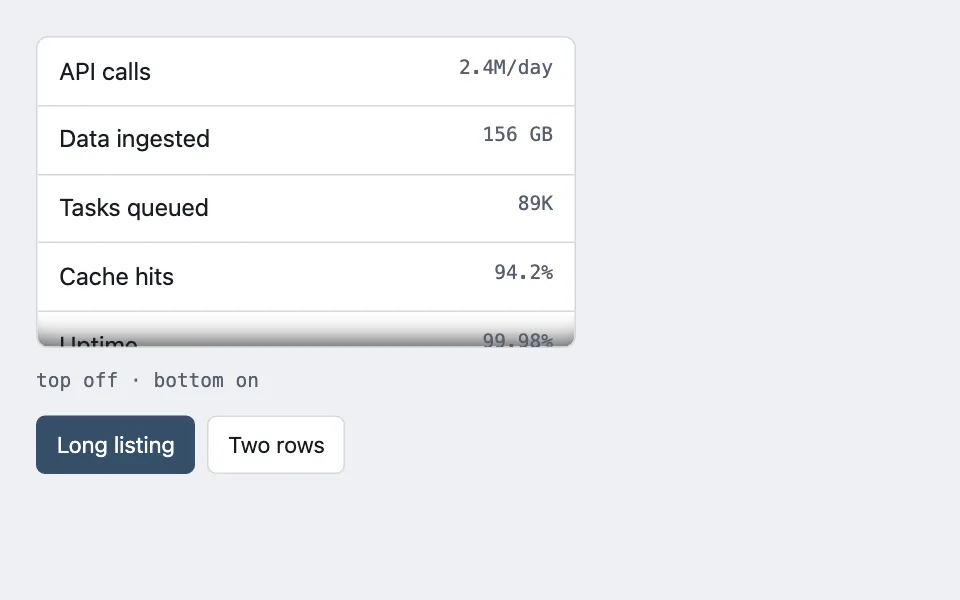
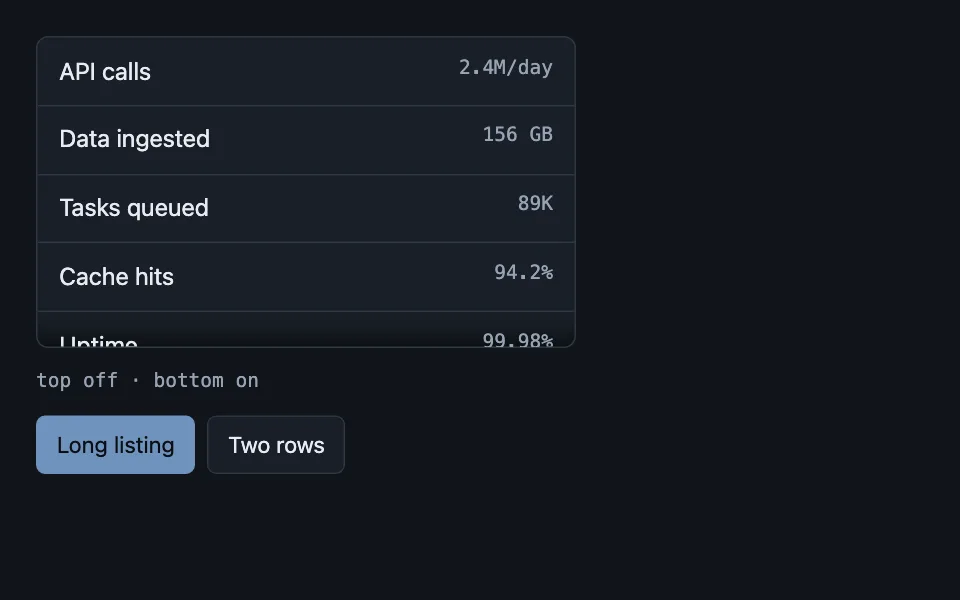
An inset shadow on a scroll container, shown only on the edge that actually has more content behind it, so the shadow reports state instead of decorating.
Reach for it when building
- sidebar navigation panels
- dropdown menus
- drawer and modal contents
- log viewers
- picker panels
- dashboard inner panes
<div class="edge-demo">
	<div class="edge-scroller" id="edge-scroller" tabindex="0" role="region" aria-label="Metrics">
		<ul class="edge-list" id="edge-list"></ul>
	</div>
	<p class="edge-state" id="edge-state" aria-live="polite"></p>
	<div class="edge-controls">
		<button type="button" class="edge-btn is-on" data-rows="long">Long listing</button>
		<button type="button" class="edge-btn" data-rows="short">Two rows</button>
	</div>
</div>
Colors come from shared theme tokens — --surface, --ink, --border, --accent and friends — so this CSS carries no palette
of its own. Use Runnable file to copy the tokens along with it.
.edge-demo { display: flex; flex-direction: column; gap: 0.75rem; max-width: 360px; }

.edge-scroller {
	height: 208px;
	overflow-y: auto;
	background: var(--surface);
	border: 1px solid var(--border);
	border-radius: 8px;
}

.edge-list { list-style: none; margin: 0; padding: 0; }

.edge-row {
	display: flex;
	justify-content: space-between;
	gap: 1rem;
	padding: 0.6rem 0.9rem;
	border-bottom: 1px solid var(--border);
}

.edge-row:last-child { border-bottom: none; }

.edge-name { min-width: 0; overflow: hidden; text-overflow: ellipsis; white-space: nowrap; }

.edge-count {
	flex: 0 0 auto;
	font-family: var(--mono);
	font-size: 0.8125rem;
	color: var(--dim);
	white-space: nowrap;
}

.edge-state {
	margin: 0;
	font-family: var(--mono);
	font-size: 0.8125rem;
	color: var(--dim);
}

.edge-controls { display: flex; gap: 0.5rem; }

.edge-btn {
	font: inherit;
	font-size: 0.9375rem;
	padding: 0.4rem 0.8rem;
	border: 1px solid var(--border);
	border-radius: 6px;
	background: var(--surface);
	color: var(--ink);
	cursor: pointer;
}

.edge-btn.is-on {
	background: var(--accent);
	border-color: var(--accent);
	color: var(--accent-ink);
}
(function () {
var scroller = document.getElementById('edge-scroller');
var list = document.getElementById('edge-list');
var state = document.getElementById('edge-state');
var longRows = [
['API calls', '2.4M/day'], ['Data ingested', '156 GB'], ['Tasks queued', '89K'],
['Cache hits', '94.2%'], ['Uptime', '99.98%'], ['Backups', '28/30'],
['Alerts fired', '12'], ['Incidents', '2'], ['Patches', '8/12'],
['Active users', '342'], ['Reports run', '1.2K'], ['Doc pages', '187']
];
var shortRows = [['Uptime', '99.98%'], ['Backups', '28/30']];
// Sub-pixel rounding means the offsets never land exactly on 0, so a naive
// "scrollTop > 0" test flickers. One pixel of tolerance settles it.
function syncEdges() {
var room = scroller.scrollHeight - scroller.clientHeight;
var atTop = scroller.scrollTop > 1;
var atBottom = room > 1 && scroller.scrollTop < room - 1;
var parts = [];
if (atTop) parts.push('inset 0 22px 16px -18px rgba(0, 0, 0, 0.7)');
if (atBottom) parts.push('inset 0 -22px 16px -18px rgba(0, 0, 0, 0.7)');
scroller.style.boxShadow = parts.join(', ');
state.textContent = 'top ' + (atTop ? 'on' : 'off') + ' \u00b7 bottom ' + (atBottom ? 'on' : 'off');
}
function fill(rows) {
list.innerHTML = rows
.map(function (row) {
return '<li class="edge-row"><span class="edge-name">' + row[0] +
'</span><span class="edge-count">' + row[1] + '</span></li>';
})
.join('');
// Keeping the old offset would open a short listing scrolled past its
// only rows, so the reset and the re-sync always travel together.
scroller.scrollTop = 0;
syncEdges();
}
scroller.addEventListener('scroll', syncEdges);
Array.prototype.forEach.call(document.querySelectorAll('[data-rows]'), function (button) {
button.addEventListener('click', function () {
Array.prototype.forEach.call(document.querySelectorAll('[data-rows]'), function (other) {
other.classList.toggle('is-on', other === button);
});
fill(button.dataset.rows === 'long' ? longRows : shortRows);
});
});
fill(longRows);
})();Paste this into an agent to rebuild the pattern from scratch.
Build a fixed-height scrolling list that shows an inset shadow at its top or bottom edge, but only on the edge that actually has more content behind it.
Use it anywhere a list is clipped by a fixed height and the clip lands mid-row: sidebars, picker panels, drawer contents, dropdown menus, log viewers, any inner pane inside a dashboard. It answers the question a truncated list always raises — is that the end, or is there more? An always-on shadow is decoration; one that appears and disappears is information, and that distinction is the whole pattern. Skip it when the container grows to fit its content, because then there is never anything to report.
Give the scroll container a fixed height, overflow-y auto, a 1px border and rounded corners. Compute the shadow from three values on every scroll event and whenever the content changes:
const room = element.scrollHeight - element.clientHeight; const atTop = element.scrollTop > 1; const atBottom = room > 1 && element.scrollTop < room - 1;
The one-pixel tolerance is load-bearing. Sub-pixel rounding means the offsets never land exactly on zero, so a naive "scrollTop > 0" test makes the top shadow flicker on and off as the list settles.
Compose the shadow string from whichever edges are live and assign it in one write: "inset 0 22px 16px -18px" in a heavy translucent black for the top, the same with a negative vertical offset for the bottom, joined with a comma, and an empty string when neither applies. The large negative spread is what keeps it a tight gradient hugging the edge rather than a haze drifting over the rows.
Pair the shadow with a content reset: whenever the rows are replaced, set scrollTop back to zero and re-run the sync in the same function. Keeping the previous offset opens a newly-shortened list scrolled past its only rows, which reads as an empty container. Demonstrate this by offering a control that swaps a long listing for a two-row one — the edges must both clear when the short list lands.
Make the container focusable and give it a region role with a label, so a keyboard user can scroll it without a pointer. Rows are a plain list: the name truncates with an ellipsis inside a min-width-zero flex child, and the trailing count never wraps. Take every colour from theme custom properties so the list reads correctly in both light and dark themes.