Partitioned stage bar
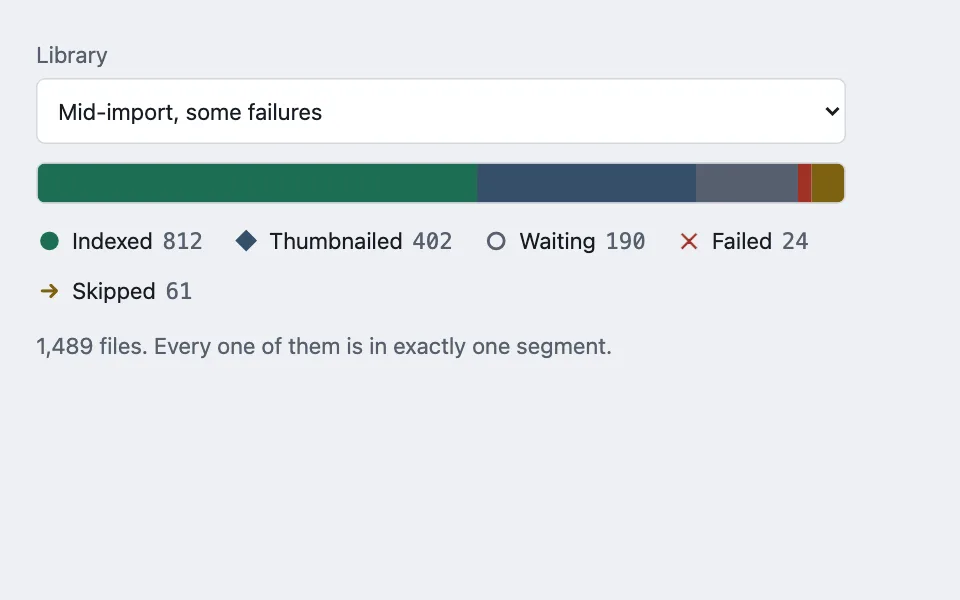
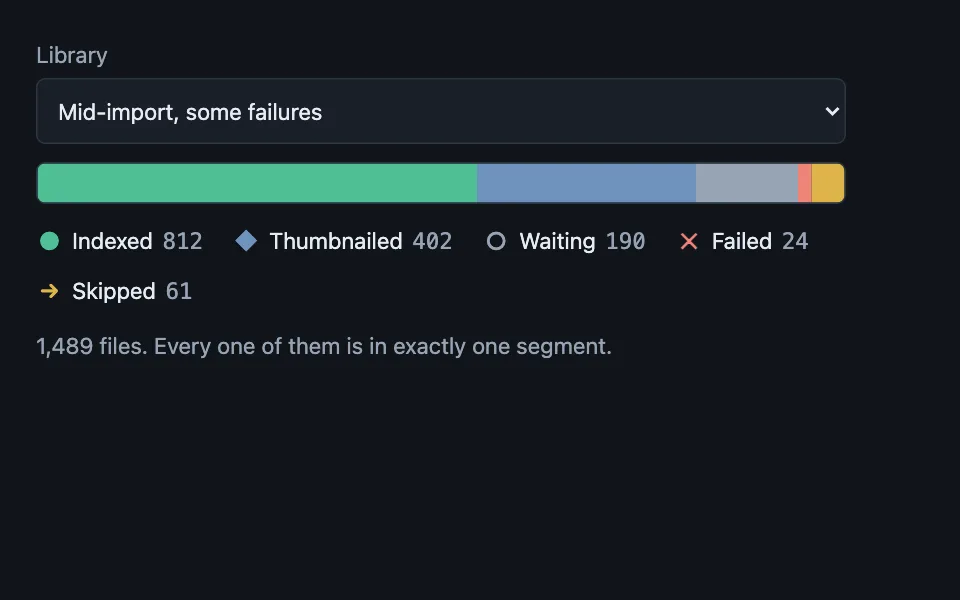
Progress for work that has several possible endings, drawn as a census rather than a fraction: the bar is always full, every segment is one stage of the same population, and a stage with nothing in it is removed instead of being drawn at zero width.
Reach for it when building
- an import or scan over many files
- a batch upload with per-item outcomes
- a migration running across records
- a test run in progress
- a moderation queue by decision
- a deployment rolling across instances
<div class="psb-demo">
	<label class="psb-field">
		<span>Library</span>
		<select id="psb-scene">
			<option value="0">Mid-import, some failures</option>
			<option value="1">Clean run, nothing failed</option>
			<option value="2">Just started</option>
		</select>
	</label>

	<div class="psb-track" id="psb-track" role="img" aria-label="Stage composition"></div>

	<ul class="psb-legend" id="psb-legend"></ul>
	<p class="psb-total" id="psb-total"></p>
</div>
Colors come from shared theme tokens — --surface, --ink, --border, --accent and friends — so this CSS carries no palette
of its own. Use Runnable file to copy the tokens along with it.
.psb-demo { display: flex; flex-direction: column; gap: 0.75rem; max-width: 540px; }

.psb-field { display: flex; flex-direction: column; gap: 0.25rem; font-size: 0.9375rem; color: var(--dim); }

.psb-field select {
	font: inherit;
	min-height: 44px;
	padding: 0.45rem 0.6rem;
	border-radius: calc(var(--radius) - 4px);
	border: 1px solid var(--border);
	background: var(--surface);
	color: var(--ink);
}

.psb-track {
	display: flex;
	height: 28px;
	border: 1px solid var(--border);
	border-radius: calc(var(--radius) - 4px);
	overflow: hidden;
	background: var(--surface);
}

/* No min-width here on purpose: a segment small enough to disappear is a real
   segment with a real count, and the legend carries its number. */
.psb-seg { height: 100%; }
.psb-seg[data-stage='done'] { background: var(--ok); }
.psb-seg[data-stage='working'] { background: var(--accent); }
.psb-seg[data-stage='waiting'] { background: var(--dim); }
.psb-seg[data-stage='failed'] { background: var(--bad); }
.psb-seg[data-stage='skipped'] { background: var(--warn); }

.psb-legend { list-style: none; margin: 0; padding: 0; display: flex; flex-wrap: wrap; gap: 0.5rem 1.25rem; }

.psb-key { display: inline-flex; align-items: baseline; gap: 0.4rem; font-size: 0.9375rem; }

/* A glyph as well as a hue: a stacked bar is the one chart where the segments
   carry no labels of their own, so colour alone has nothing to fall back on. */
.psb-glyph { width: 1.1rem; text-align: center; font-weight: 700; }
.psb-key[data-stage='done'] .psb-glyph { color: var(--ok); }
.psb-key[data-stage='working'] .psb-glyph { color: var(--accent); }
.psb-key[data-stage='waiting'] .psb-glyph { color: var(--dim); }
.psb-key[data-stage='failed'] .psb-glyph { color: var(--bad); }
.psb-key[data-stage='skipped'] .psb-glyph { color: var(--warn); }

.psb-count { font-family: var(--mono); color: var(--dim); }
.psb-total { margin: 0; font-size: 0.9375rem; color: var(--dim); }
const STAGES = {
done: { label: 'Indexed', glyph: '●' },
working: { label: 'Thumbnailed', glyph: '◆' },
waiting: { label: 'Waiting', glyph: '○' },
failed: { label: 'Failed', glyph: '✕' },
skipped: { label: 'Skipped', glyph: '→' }
};
const SCENES = [
{ done: 812, working: 402, waiting: 190, failed: 24, skipped: 61 },
{ done: 1204, working: 285, waiting: 0, failed: 0, skipped: 0 },
{ done: 18, working: 0, waiting: 1471, failed: 0, skipped: 0 }
];
const scene = document.getElementById('psb-scene');
const track = document.getElementById('psb-track');
const legend = document.getElementById('psb-legend');
const totalOut = document.getElementById('psb-total');
function render() {
const counts = SCENES[Number(scene.value)];
/* The omission, not a zero-width segment. A 0% section still paints a hairline
sliver, and a sliver in the failure colour reads as "a few failed". */
const present = Object.keys(STAGES).filter((stage) => counts[stage] > 0);
const total = present.reduce((sum, stage) => sum + counts[stage], 0);
track.innerHTML = '';
legend.innerHTML = '';
for (const stage of present) {
const segment = document.createElement('div');
segment.className = 'psb-seg';
segment.dataset.stage = stage;
segment.style.width = (counts[stage] / total) * 100 + '%';
track.append(segment);
const key = document.createElement('li');
key.className = 'psb-key';
key.dataset.stage = stage;
key.innerHTML = '<span class="psb-glyph"></span><span></span> <span class="psb-count"></span>';
key.querySelector('.psb-glyph').textContent = STAGES[stage].glyph;
key.querySelectorAll('span')[1].textContent = STAGES[stage].label;
key.querySelector('.psb-count').textContent = counts[stage].toLocaleString();
legend.append(key);
}
/* The bar is one image with one sentence, not a row of unlabelled boxes. */
track.setAttribute(
'aria-label',
present.map((stage) => STAGES[stage].label + ' ' + counts[stage]).join(', ') +
'; ' + total.toLocaleString() + ' files in total.'
);
totalOut.textContent = total.toLocaleString() + ' files. Every one of them is in exactly one segment.';
}
scene.addEventListener('change', render);
render();Paste this into an agent to rebuild the pattern from scratch.
Build progress for work whose items end in several different states. The bar is an exhaustive partition of one population — done, in flight, waiting, failed, skipped — so it is always completely full, and what changes over time is the composition rather than the length.
Reach for this when "percent complete" is a lie: an import where some files fail, a migration where some records are skipped, a moderation queue where every item ends in one of three decisions. A single creeping fill cannot say that 24 of the files will never finish. Walk away when the work has exactly one ending — then a plain progress bar is honest and this is over-built.
The rule that makes it work: **a segment with a count of zero is removed from the markup, not rendered at zero width.** Browsers paint a one or two pixel sliver for a 0% element, and a sliver in the failure colour reads as "a few things failed" on a run where nothing did. Filter the stages first, then compute each width against the total of what remains.
Give every stage a glyph as well as a hue in the legend. A stacked bar is precisely where colour-only encoding fails, because the segments carry no labels of their own and there is nothing for someone who cannot separate two hues to read instead.
Resist a minimum width on the segments. A stage small enough to vanish is still a real stage with a real number, and the legend is where its count lives. Forcing a 2% floor makes the bar stop summing to the whole, which is the one property it exists to have.
Expose the bar as a single image with one sentence describing the whole composition — stage names, counts, and the total. A row of unlabelled boxes, each announced separately, is worse than silence.
Print the total in text beside it and say plainly that every item is in exactly one segment. That sentence is what stops someone adding the numbers up and finding they exceed the file count, which is what happens the first time somebody counts an item in two stages.
Every colour comes from theme custom properties. Check the failure and skipped colours against the track in both themes — those two are the pair that collapses into each other in dark mode.