Managing Dev Context And The Wild West of AI Dev Tooling
Exploring strategies for managing multiple AI agents and dev context in parallel workflows
As agent parallelization is becoming more prominent and common practices on the bleeding edge, there’s an emergent problem that AI can’t easily solve – and that’s the context in your head.
I’ve talked about this topic a bit in my All In On AI article where I stressed it was important to minimize the large context-switching load of coding by hand and utilizing an Agentic AI. In this article though, I’d like to discuss the difficulty of context-switching between multiple projects.
These days, it’s not uncommon for me to run almost a dozen main agents at the same time. Last year, I used to top out at 3-4 – one for each major project I was working on. But now, I’m juggling multiple dimensions of context where I have to constantly ask myself these questions:
- which project am I working on?
- which feature/part of the project am I working on?
- where was I in this process?
What makes this worse is that managing these projects typically just requires signing off “Yes” on a command – a split-second decision and review of the command itself. Switching between individual projects and the individual work on those projects is exhausting. There’s just too much going on and now there’s this new overhead of operator error on top of having to watch the AI for any mistakes.
Essentially, the agentic AI isn’t as much of a bottleneck for productivity as is more so the human aspect of managing agents.
So what can we do differently?
We’re currently living in the wild-west of AI tooling. If you’ve been around for a while, you might even recognize the patterns from when SPAs became a thing, or backend JavaScript became prominent. Same goes for Rust, Golang, and other programming languages. We’re there at this point where we are figuring out how to use these powerful tools effectively and how to make it easier on us, devs, doing the work we need to do.
My focus currently is on my ability to manage these multiple workstreams that AI development encourages. I could sit there and watch AI work on one feature; however, in my experience, any experienced dev can outrun AI in terms of quality and time (most of the time) especially on larger features where AI may make too many shortcuts and cut corners and not consider edgecases. But as soon as you double this output, it’s suddenly way more productive than me on my own.
I can’t split myself into two and build a feature and fix a bug at the same time. But AI can.
I’ve seen several different approaches to managing these workflows so I’d like to share those.
One-Shotting Everything
The first is to abandon the active management workflow. So instead of working like so:
In this paradigm, we switch between prompting an AI and responding to agents, weaving multiple streams of work together by constantly context-switching and making progress across multiple projects.
In the one-shot paradigm, we focus on setting up projects and letting AI run over a long period of time like so:
Work is done ahead of time by planning and then letting the agent run. There’s less context switching as you focus less on managing the project but instead, providing a feedback loop on your work after all of it is supposed to be done. It’s more of a PM ↔ Engineer loop where you, as the user, answer all of the AI’s questions ahead of time (whether by a PRD or via a Q&A)
There are multiple solutions to this problem such as:
I’d even categorize my session tracking skill in the same category since it helps figure out a long-running plan ahead of time, provides check points, and a continuous loop of attempting to solve the problem, learn from failures, and eventually get to a solution.
Pros
The big pro here is that context switching happens once-in-a-while. You’re either setting up a new project, running a new project (without oversight), or reviewing a finished project.
Once you setup a project, you may move onto setting up the next project. Then you can review a project, provide long-running feedback to the AI, and leave it to do more work.
The other pro is that you should be able to provide the AI better final context so that it’s able to better do its job. All questions are up-front, all data is up-front. With planning and session tracking, you can be really surprised by what tools like Claude Code can do
Con
The big con here is that AI may go off the rails and your agentic one-shot can be burned. I’ve had this happen quite a few times where I had to throw out an agent’s entire workflow because it made an assumption somewhere that I didn’t cover – or I made an assumption that the AI would follow a specific path I outlined, and the resulting code is completely useless.
In those situations, you just gotta get up, dust off, and try again.
Mitigating Cons
Mitigating the cons is actually fairly straightforward:
- ensure you update and setup your AGENTS.md or CLAUDE.md correctly
- learn from your mistakes and note/cover any issue you come across to give AI better guidance
- create standards for the AI to follow
- keep trying and waiting for tooling to improve
Parallelization Tooling
The other way of dealing with the parallelization issue is via apps and tooling. There are multiple tools that can help you manage your workstreams.
For example, we have Git Worktrees that allow us to develop multiple features in one project.
I personally use a mix of Kitty and Tmux. I use Kitty terminals to manager which projects I’m working on. Each tab is one project. And then, each project has multiple buffers. Each buffer represents a feature I’m working on. In each buffer, I start a tmux session for the work I need to get done.
But that’s a ridiculously complicated setup. Here’s what my setup usually looks like:
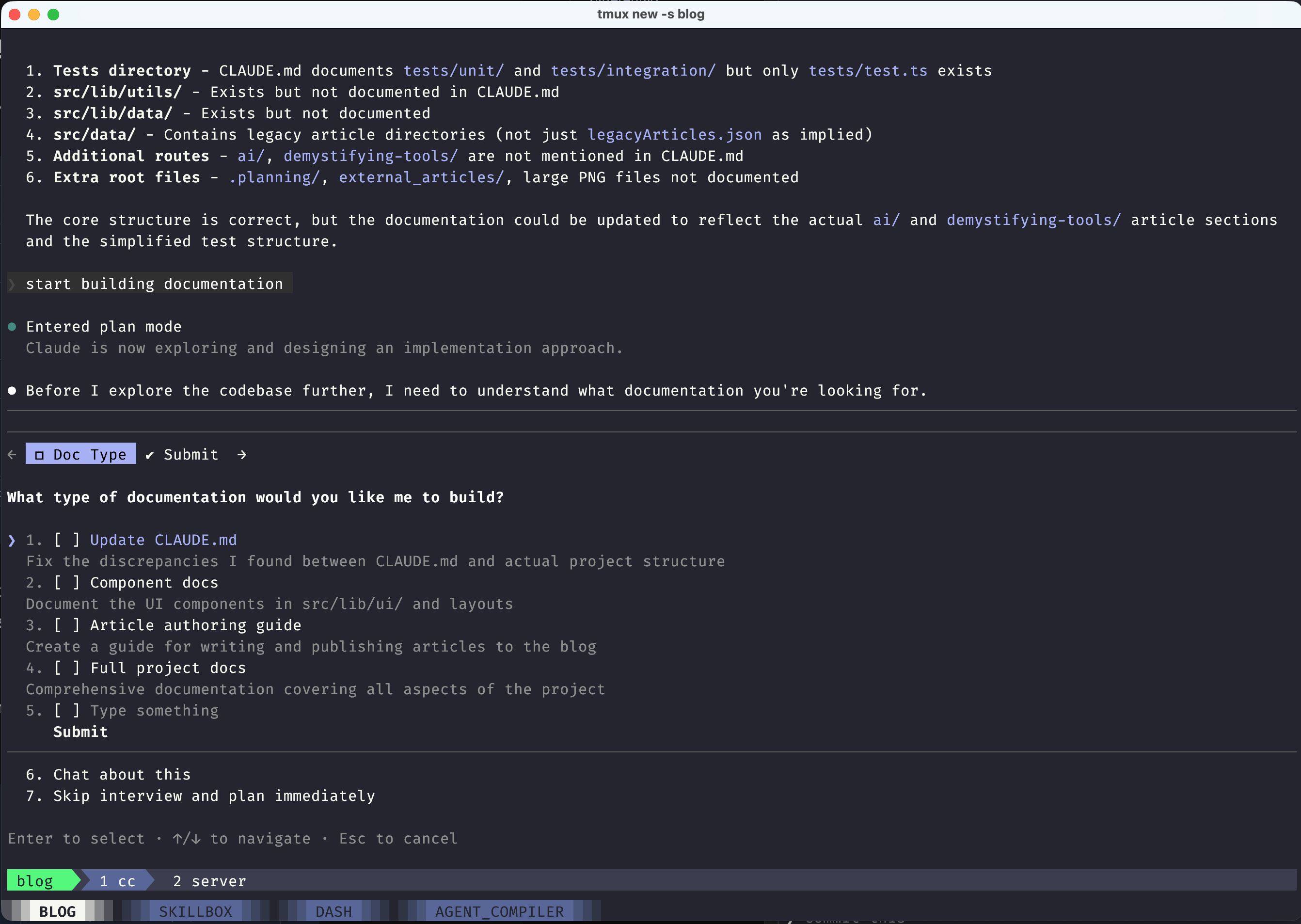
That’s three levels nested deep. Or four, depending on how you want to count it. I’m used to multiple levels of application nesting from using i3 and Tmux and similar tools; however, it’s not the most efficient method.
There are other purpose-built tools such as Superset.sh which is an orchestration workspace app. It tries to surface and connect various datapoints together – terminals with projects with their corresponding worktrees.
Pros
The pros of this approach is having more fine-grained control over your projects. Developing multiple features and bugfixes in tandem can also get you into a coding-like flow of managing your AIs.
I think it’s important to follow this methodology for more complicated projects that require frequent human intervention in the loop. That’s just not possible with one-shotting.
Purpose-made tooling can keep track of sessions much better than a person can and it can allow for much more robust and productive development.
Cons
The tooling just isn’t there yet. We still have too much context to keep in mind and work on. Tooling mitigates context-switching but it’s still there.
The tooling itself is a mitigation toward the underlying problem, not a full solution.
What’s the best way forward?
I’ve been thinking about it quite a bit and my big hope is that instead of trying to solve this problem for everyone, we eventually find ourselves writing tools just for us as individual developers.
For instance, I’m not against my Kitty + Tmux setup but I would love better dashboards to show me what work is in progress, what’s waiting to be worked on, and my own dev context around each project.
For instance, it’d be great to see a dashboard with:
- all currently-worked on projects
- each feature/bugfix being worked on with a description of the feature/bugfix
- a summary of progress
- the ability to jump into whatever workflow I’d like to participate in directly
- ability to both one-shot and shepherd feature development
But that’s just me. I’ve seen quite a few experiments online for agent orchestration including utilizing a Trello-like board for agents to pickup and work on tasks. Or utilizing OpenClaw to autonomously work on tasks without any oversight.
There’s still space and I encourage anyone to develop their own ideas and test them out. After all, you can just spin up another AI agent instance and have it work on that feature along with everything else you’re working on. :)