The Local-First App Skill
A reusable blueprint that tells Claude Code how to build a single-user app -- Next.js, node:sqlite, a pure logic core -- so every app I build comes out the same shape.
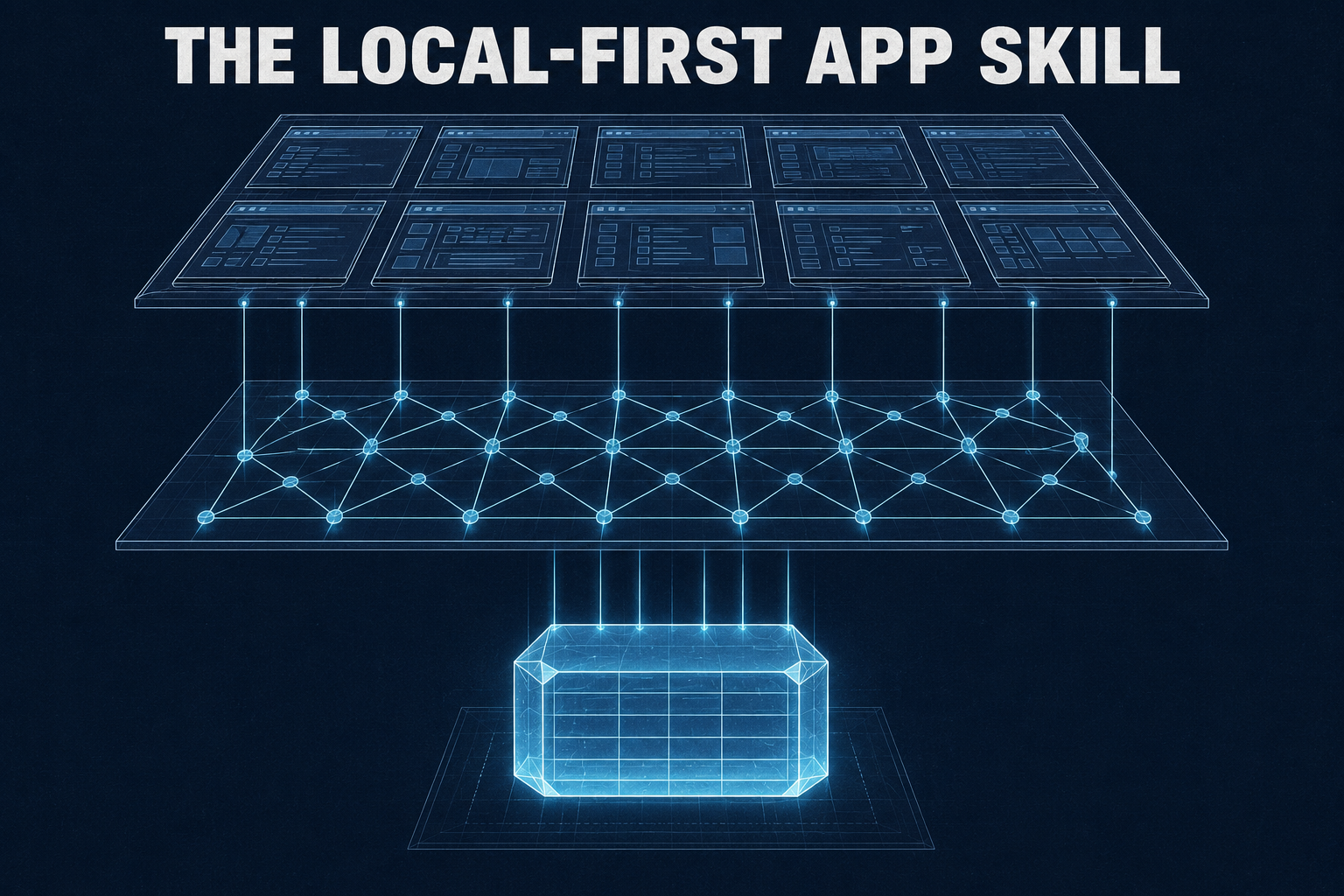
I’ve built seven single-user apps with Claude Code. The first few came out shaped completely differently from each other – different database driver, different folder layout, modals in one and pages in another.
local-first-app is the skill I wrote to stop that. It’s a markdown document in my skillbox collection that records the decisions once, so Claude stops making them fresh every time:
- One purpose, one user, one machine. A SQLite file sitting next to the app. No backend, no auth.
- Every app builds into a native executable. One self-contained file I can drag onto any machine and run – no Node install, no setup, no “works on my laptop.”
- Derived values live in a pure logic core. No React imports, no database imports. Tested first.
That executable rule drives more of the stack than you’d expect.
The stack, pinned
| Layer | Choice | Why |
|---|---|---|
| Framework | Next.js App Router, output: "standalone" | Compiles to a single desktop binary |
| UI | Mantine | Tables, dates, charts, forms, dark mode – all in the box |
| Persistence | node:sqlite | Runtime builtin – no native addon, no per-platform builds |
| Validation | Zod at every server boundary | One schema per write path |
| Data fetching | none | One user, one machine – no client cache to invalidate |
| Tests | Vitest | Pure-core unit tests, test-first |
Gotchas the skill remembers so I don’t have to:
- SQLite foreign keys default to OFF, per connection – they have to be turned back on every time the database is opened.
- Vitest needs a resolve shim.
- A miswired
next/fontsilently renders your entire app in fallback serif. Nothing errors. It just looks slightly wrong forever.
How I actually use it
I don’t start in Claude. I start with a PRD.md.
Nothing formal – I write out what the app is, how I want to navigate it, and what entities I want to track. For a car tracker that looks like: I want to track cars, here are the datapoints I care about on a car (mileage, purchase info, insurance, service history), and I want cars tracked per garage. That last kind of sentence does a lot of work – it’s me telling the app what the relations are before any schema exists.
Then the prompt is short:
Read PRD.md. Use the local-first-app skill for the architecture,
the color-system skill for the palette, and the typography skill
for the type. Build the initial prototype.
That’s the whole first pass. local-first-app handles the shape of the app; color-system and typography are two other skillbox skills that keep it from coming out in the same default-Mantine look every time.
The second pass is where the actual app gets figured out. I add real data – actual cars, actual service records – and just use the thing for a while. That’s when the gaps show up: datapoints I specified and never fill in, datapoints I didn’t specify and keep wanting, charts I assumed I’d need and don’t. I write all of it into a new doc, changes only, and let Claude take another shot. Repeat until it stops bothering me.
The PRD is never right on the first pass. I’ve stopped trying to make it right on the first pass.
The base UI
Every list, create, detail, and edit is an addressable route. No modals – with exactly one exception.
app/cars/
  page.tsx             list
  new/page.tsx         create
  [id]/page.tsx        detail
  [id]/edit/page.tsx   edit
The URL is the state. Back works, refresh works, deep links work, nothing gets lost mid-form.
Around the routes sits the same shell in every app: a sidebar for content areas, a navbar for the logo, search, and the theme toggle, plus multiple color themes.
The four screens below are all the same entity – a car.
List
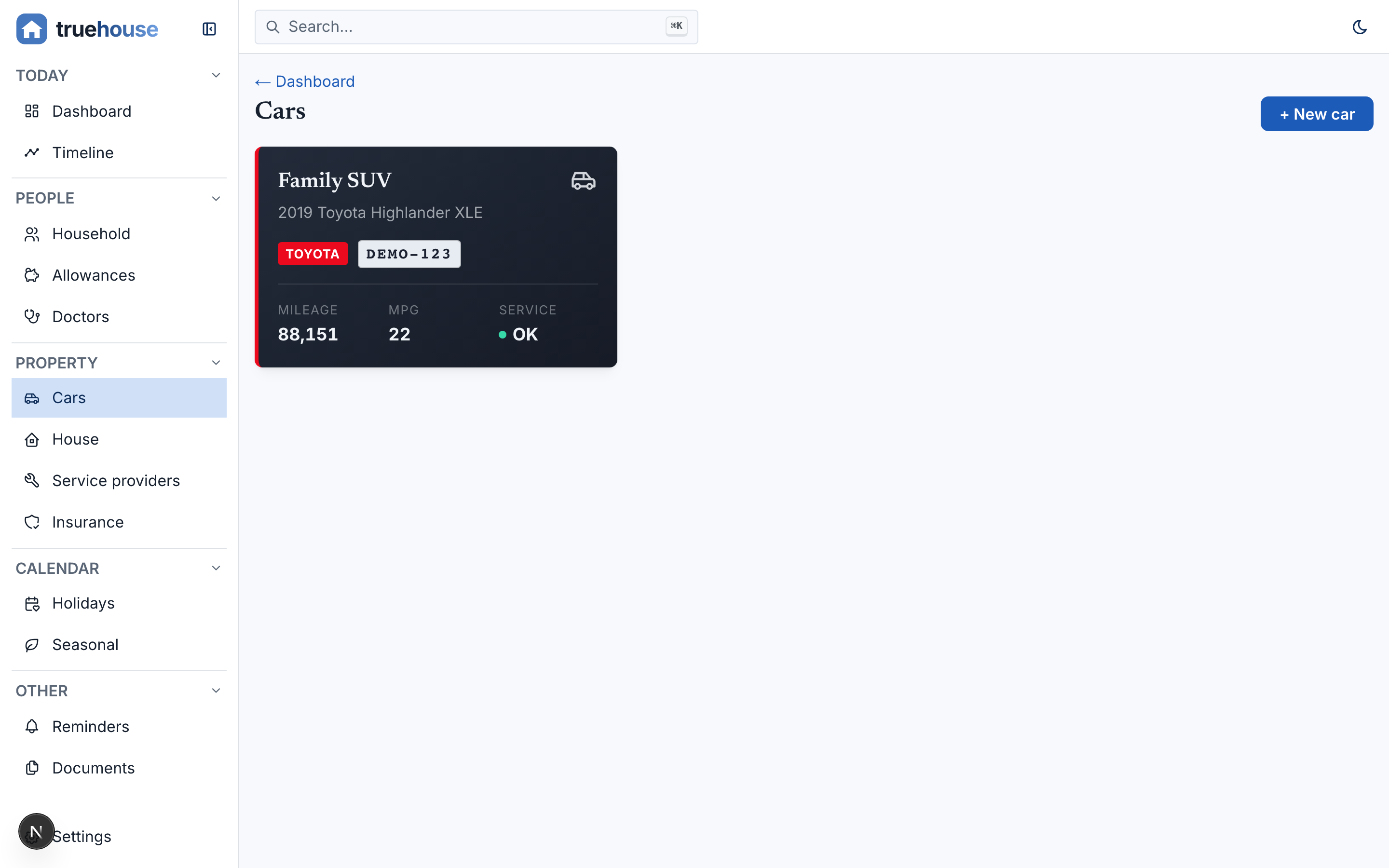
- One primary action.
- The empty state gets designed before the first entity exists. A local-first database has zero rows on day one and there’s no seed data, ever – so the empty state is literally the first screen you see in every one of these apps. It’s not a polish task.
Detail
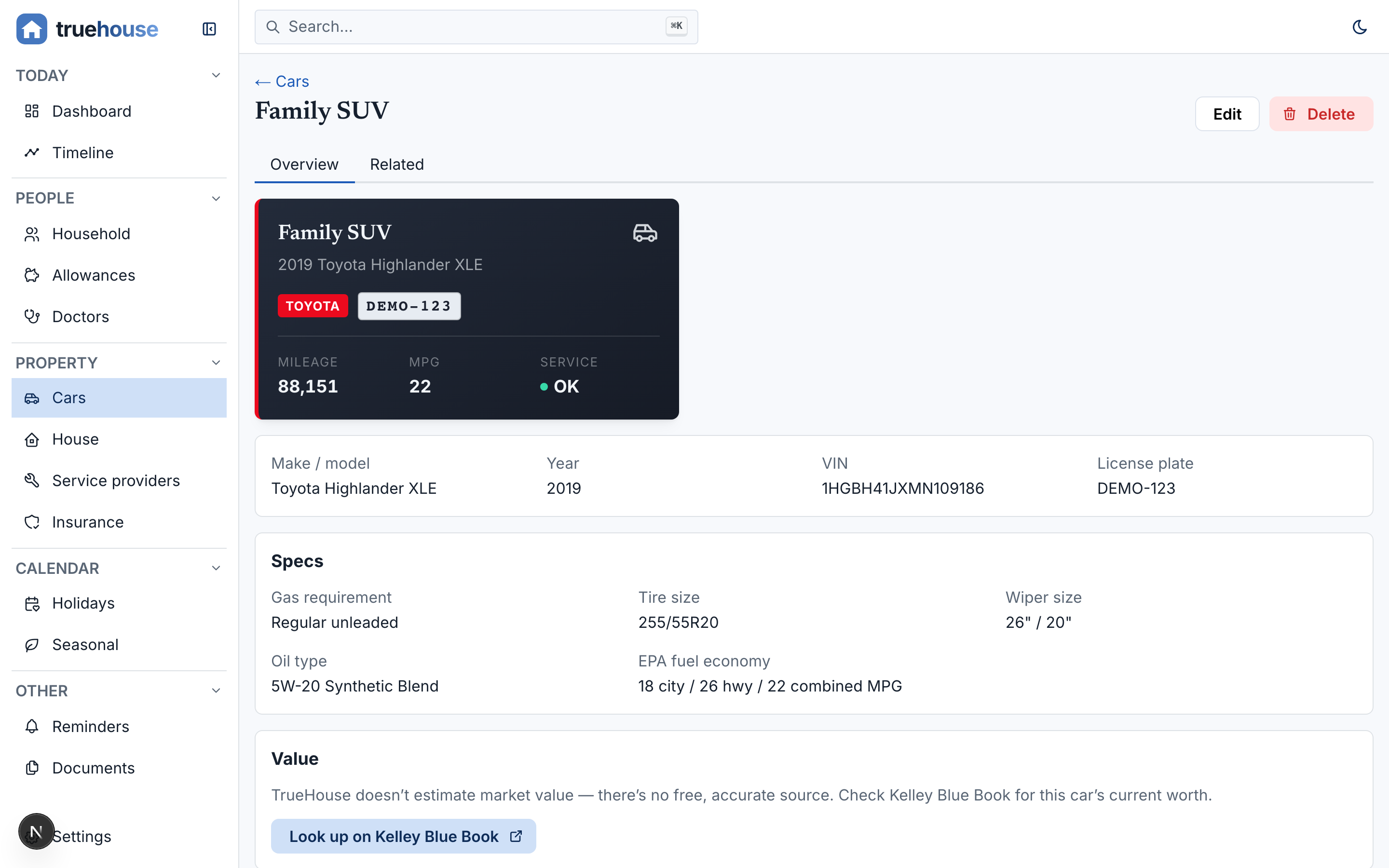
- The entity’s fields plus its computed summary, with
EditandDeletewhere you’d expect them. - Delete is the one modal in the entire system. It pulls cascade counts from the loader and shows the blast radius – “also deletes 4 service records” – before it runs.
- Don’t build a delete screen. Don’t delete without the count.
Add and edit
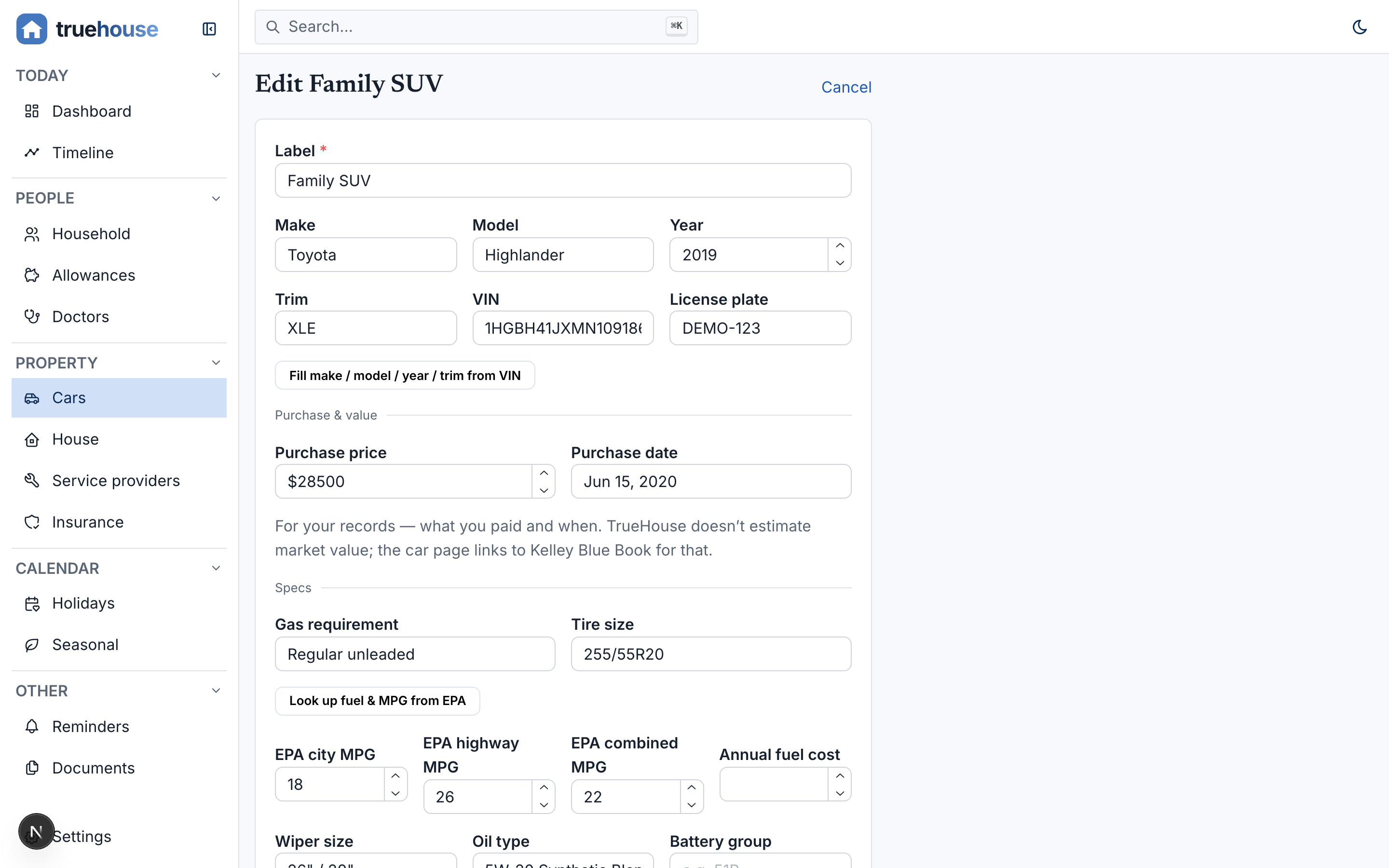
- One
<EntityForm>with amodeprop. Edit is just the create screen arriving populated. - Both validate against the same Zod schema – the client uses it for inline errors, the server action re-parses it as the actual authority.
- I never build two forms, so they never drift apart.
Relations
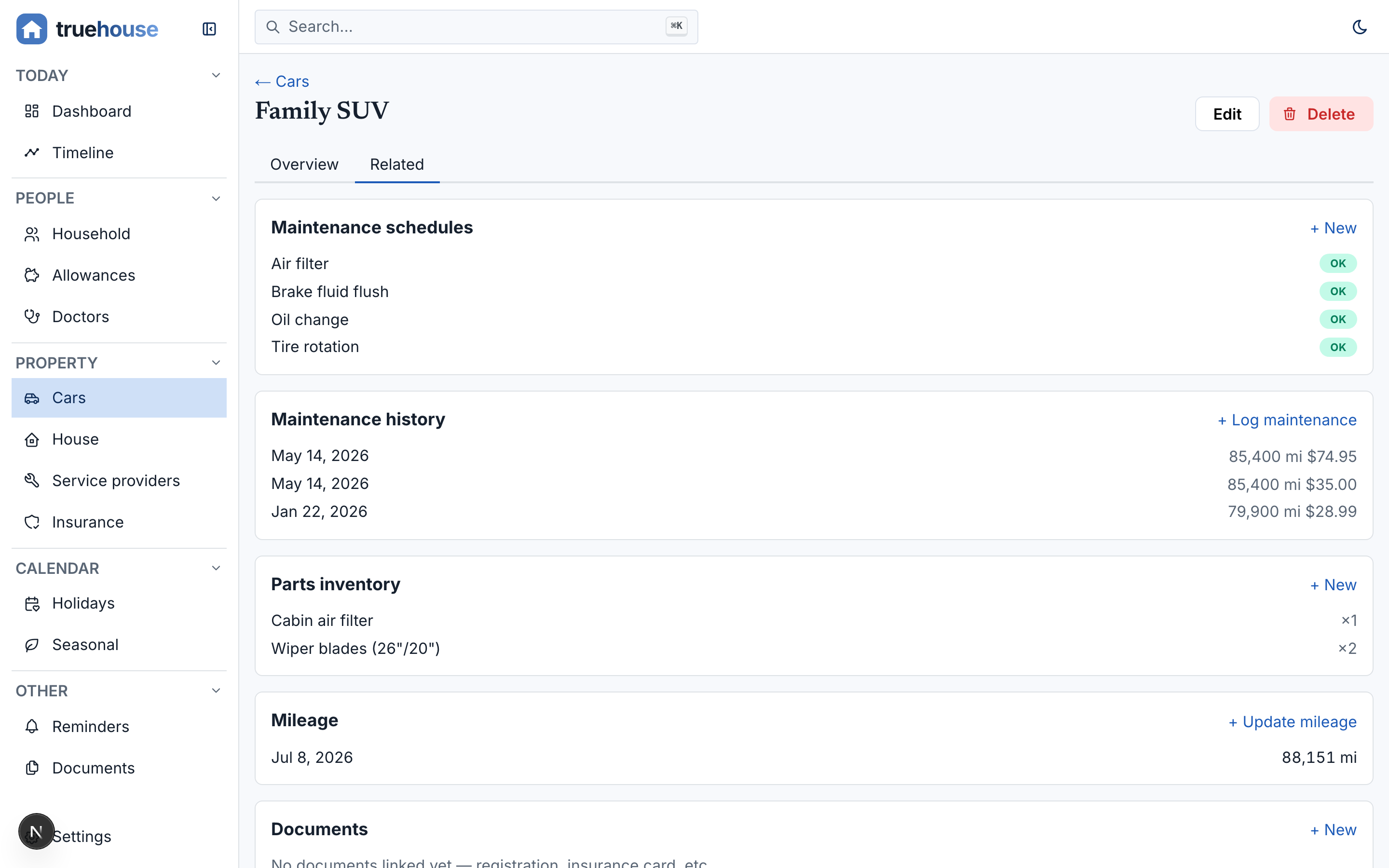
- Every child collection renders on the parent’s detail view as a related list with its own
+ Newlink that prefills the foreign key – add a service record from the car’s page and the form already knows which car it’s for. - It works in reverse: the garage’s detail view lists the cars in it.
- Not just parent-child – entities can relate N:N, and the relationship shows up on both pages.
That “per garage” sentence from the PRD lands here. One line of intent turns into a foreign key, a related list, and a prefilled form, and I never had to specify any of it.
Partial skeuomorphism
If an entity has a real-world shape, the UI borrows it.
| Entity | Renders as |
|---|---|
| Car data | a garage |
| Doctor, plumber, insurance agent | a business card with the right icon |
| Credit card | a credit card, colorized for the issuing bank |
| Game | a cartridge |
The reason is scanning. Rows are efficient but they’re all identical – every entity flattens into the same grid and you end up reading column headers to remember what you’re even looking at. A card shaped like the thing it represents is distinct at a glance.
The “partial” is load-bearing: no leather stitching, no page-flip animations. Just enough of the real-world shape to anchor recognition, sitting on top of the same boring CRUD routes underneath.
Using it
npx skills add antjanus/skillboxThen describe the app, or point Claude at a PRD like I do. What comes out already has the screen routes, the shared form, the empty states, and the hardened database open – without you asking for any of it.
Version 1.6.0 after eleven days. Almost every bump came back from an app built with it.